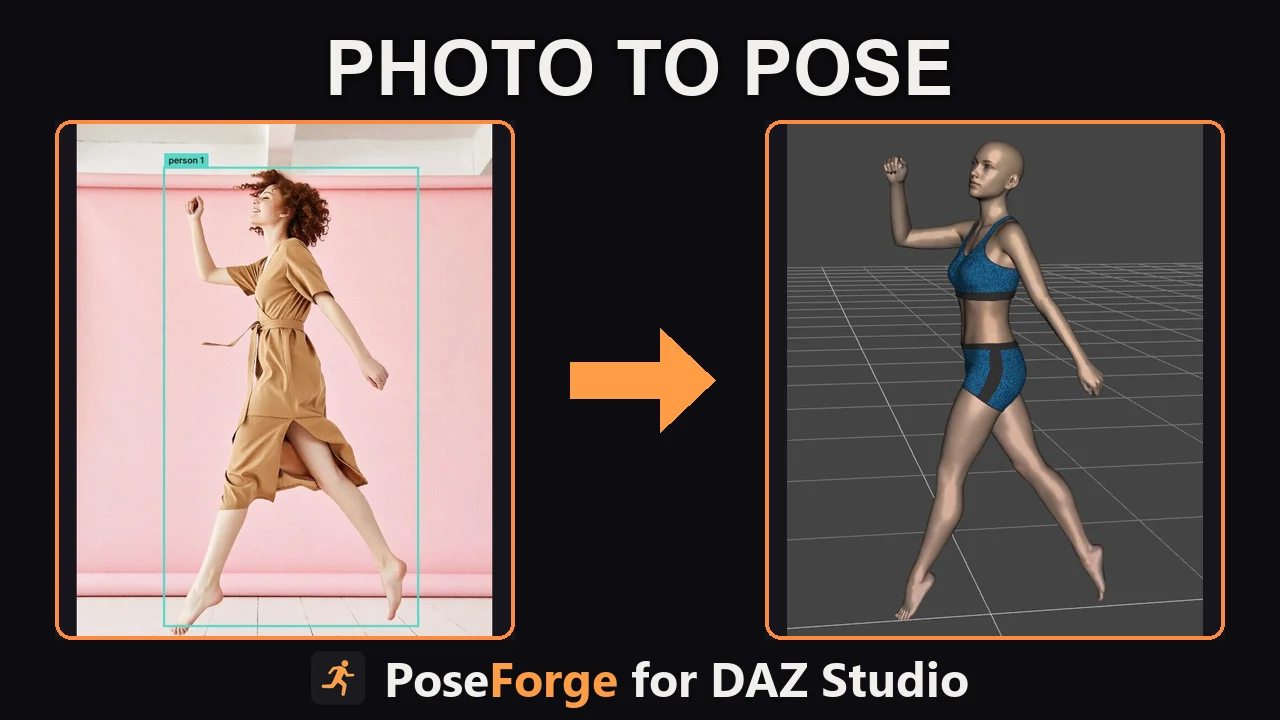
PoseForge for DAZ Studio - Photo to Pose
PoseForge is a Windows desktop tool that turns a photo into a 3D pose for DAZ Studio in seconds. Load a reference image and click Solve pose. PoseForge estimates how the whole body sits in three dimensions and writes the result as a DAZ Studio pose preset.
If PoseForge detects multiple people in a photo, you can pick the one to pose.
The pose appears as a 3D preview next to your photo, so you can check it before you export.
If the figure faces the wrong way or does not meet the floor, choose another option under Body orientation and the preview updates straight away.
Pick your generation from the list and PoseForge writes the pose for it, so you do not need to convert it in DAZ Studio. That covers Genesis 1, 2, 3, 8, and 9.
PoseForge runs its neural network on your own graphics card. Your photos never leave your PC, there are no API fees, and after the first license check you can work offline.
Click Open in DAZ Studio and PoseForge applies the pose to the selected figure. That works with DAZ Studio 4.24. You can also click Save DUF and load the file yourself in any version of DAZ Studio.
Automatic posing, Genesis, Genesis 2, Genesis 3, Genesis 8, Genesis 9

