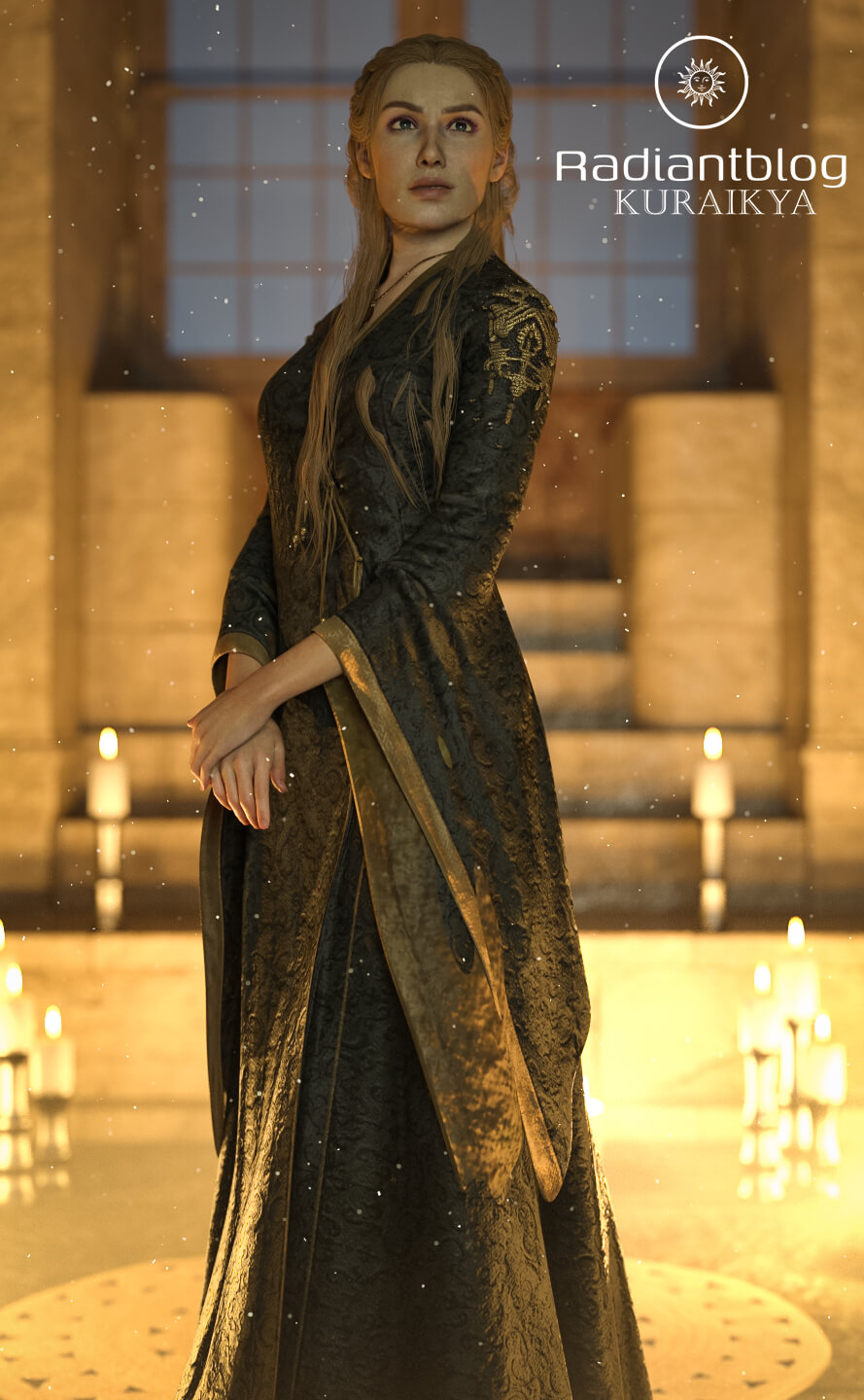
Golden Lioness for Genesis 9
Golden Lioness for Genesis 9
Bring the regal and commanding presence of the Golden Lioness to your renders with this complete character and outfit package for Genesis 9. Inspired by fantasy nobility and iconic queens, this set includes a custom Genesis 9 Fullmorph, an elegant medieval-inspired dress, and highly versatile hair.
Features:
Genesis 9 Fullmorph: A detailed custom character shape and complete material setup.
dForce Dress: The majestic gown is set up for dForce to ensure natural draping and dynamic movement in your scenes.
Fully Rigged dForce Hair: The included hair features dForce simulation but is also fully rigged. You can use the specific hair bones (hair front right, hair front left, and hair back) to easily adjust the strands. This allows you to fine-tune and perfect the hair placement over the outfit, before or after running the dForce simulation.
What's Included (File List):
Main Files:
Golden Lioness with Clothes
Golden Lioness without Clothes
Character Preset Folder:
Character Preset
Golden Lioness Eyes
Golden Lioness Mouth
Material Preset
Shaping Preset
Clothing Folder:
!!!Load All Outfit!!!
Golden Lioness Dress
Golden Lioness Necklace
Golden Lioness Shoes
Hair Folder:
Golden Lioness Eyebrows
Golden Lioness Eyelashes
Golden Lioness Hair
How to Install / Unzip Instructions:
Download the provided .zip file to your computer.
Right-click the .zip file and select "Extract All…" (on Windows) or double-click the file (on Mac) to extract its contents.
Open the extracted folder. You will find standard Daz 3D folder structures (such as data, People, Runtime).
Copy and paste or drag and drop these folders directly into your main Daz 3D Library folder (often named "My DAZ 3D Library").
Allow the folders to merge. Refresh your library in Daz Studio, and the files will be ready to use!
KuraiKya, Genesis 9, People
https://www.renderhub.com/kuraikya/golden-lioness-for-genesis-9

