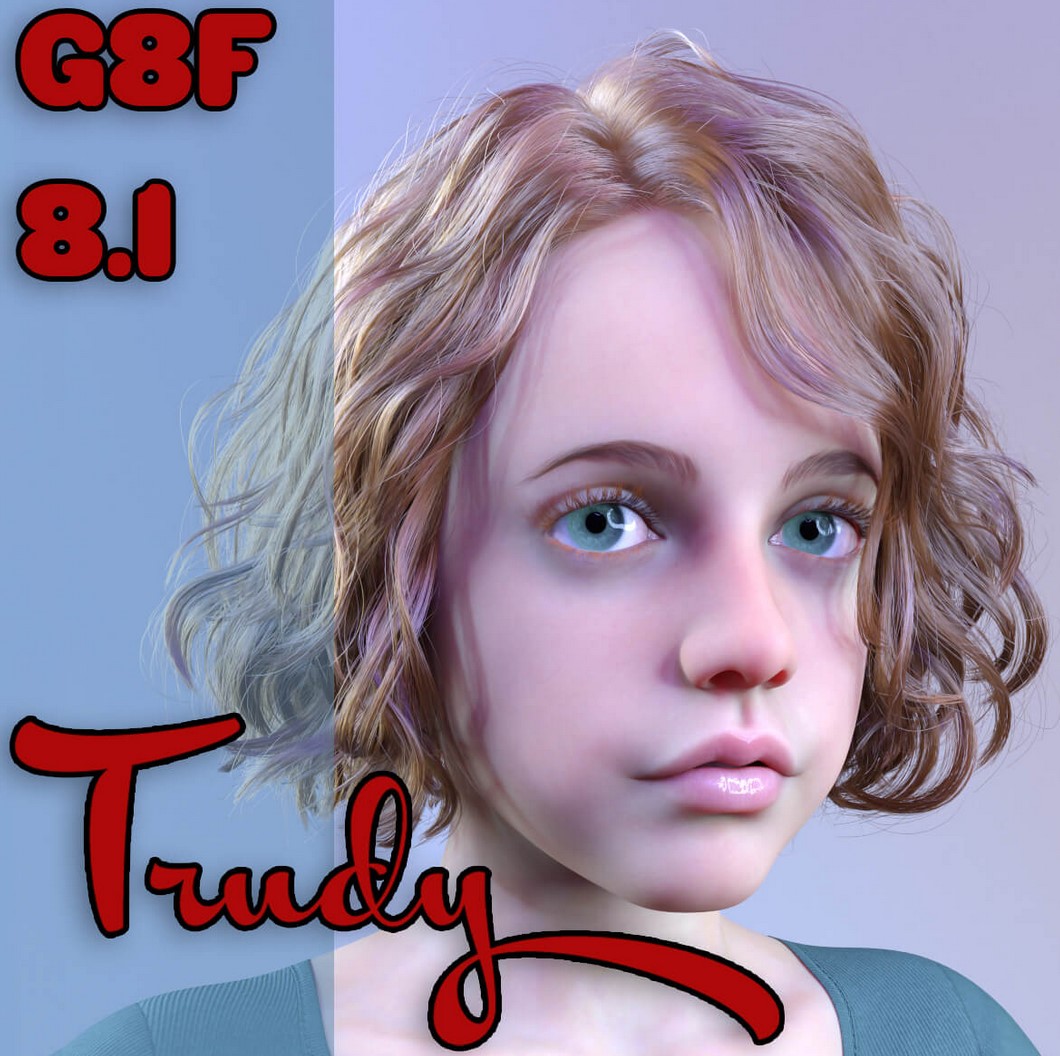
BG3D Trudy for Genesis 8/8.1 Female
My specially sculpted character Trudy is now available for the Genesis 8 and 8.1 Female Figure.
NOTE: You can also purchase the Trudy for Genesis 9 version by visiting my store. There is also a Premium Pack, to include Genesis 8, 8.1 Female and Genesis 9 as well; see my store for more information.
As with all my characters, they are based around the Joint Correction Morphs (JCMs), that help the buyer utilize the character without worrying about bad bends. Also, when making the JCMs, I make them easier to use with collisions so clothing will not clip through limbs when bends are closer to the body. Specifically, the Shins are Keyed JCMs!! Meaning they will start their bend cycle once the shin is closer to the back of the thigh (Bending the Shins all the way), giving a more realistic feel and look!
I take no short cuts in quality. I have taken the hard work out of corrections for you, so pose and get rendering quickly!!
The JCMs are baked into the Body or Head for their individual area morphs/bends to work correctly. For those of you that have bought some of my previous character(s) can mix and match to their hearts content with these, as they will utilize all of the JCMs perfectly. So go ahead and mix away!
Tip: Even though I have provided the 8.1 Lashes Texture options, I prefer using the Gen 8 Base Lashes on the G8.1 figure as there are better options and looks better in renders up close. Also if you buy the G9 version, you can use the G9 fiber-brows on G8/8.1 by auto-follow options. OR, if you have the G9 figure you can freely use the fiber-brows by fitting them by autofollow and they work better than painted on brows.
IMPORTANT NOTES:
I have provided a quick PRELOAD preset to get you up and rendering. When using the provided Preload(s), this will load the character(s) seamlessly. I have provided 2 separate Preloads, 1 for G8F and 1 for G8.1F. These PRELOADS will get you started quickly! To streamline your workflow more efficiently, I have already provided the Preloads with each body part highlighted as a Favorite. Once the selected Preload is loaded, select the Figure, go to the Parameters Tab and Select Favorites. This way, all the characters morphs are highlighted for you, so there is no searching for the morphs as there are now in your favorites tab when the preload is used.
Trudy's FULL Shape slider(s) will load the Scaling only, if you want to mix with other characters it is best to zero out the FULL Figure and then use the FAVORITE Head/Body Shapes instead as it has no scaling.
Once any of Trudy's presets are loaded there are a few manual dials for you to choose from. I have provided a couple of Manual Shaping Morphs to be utilized at the users command. Including one of the most important one, for the FEET. I have provided a crucial (G8F Feet Restore Morph) to return the characters feet back into the original G8F Base. This will allow you to use ANY G8 shoes without distortion. It is highly recommended to use this ONLY when fitting shoes as the base characters feet are sculpted to that specific character and aesthetically pleasing versus the base G8 feet.
I have included a Clothing helper for Trudy G8F, but most clothing with fit without adjustment; although it is highly recommended to use smoothers on clothing as well.
BioGearz3D; no sku
https://www.renderhub.com/biogearz3d/bg3d-trudy-for-genesis-8-8-1-female

