Auto Pressure Morph: Script (DAZ 6 and 4.24)
Pressure Morph v1.0 for Daz Studio 4.24 and 6
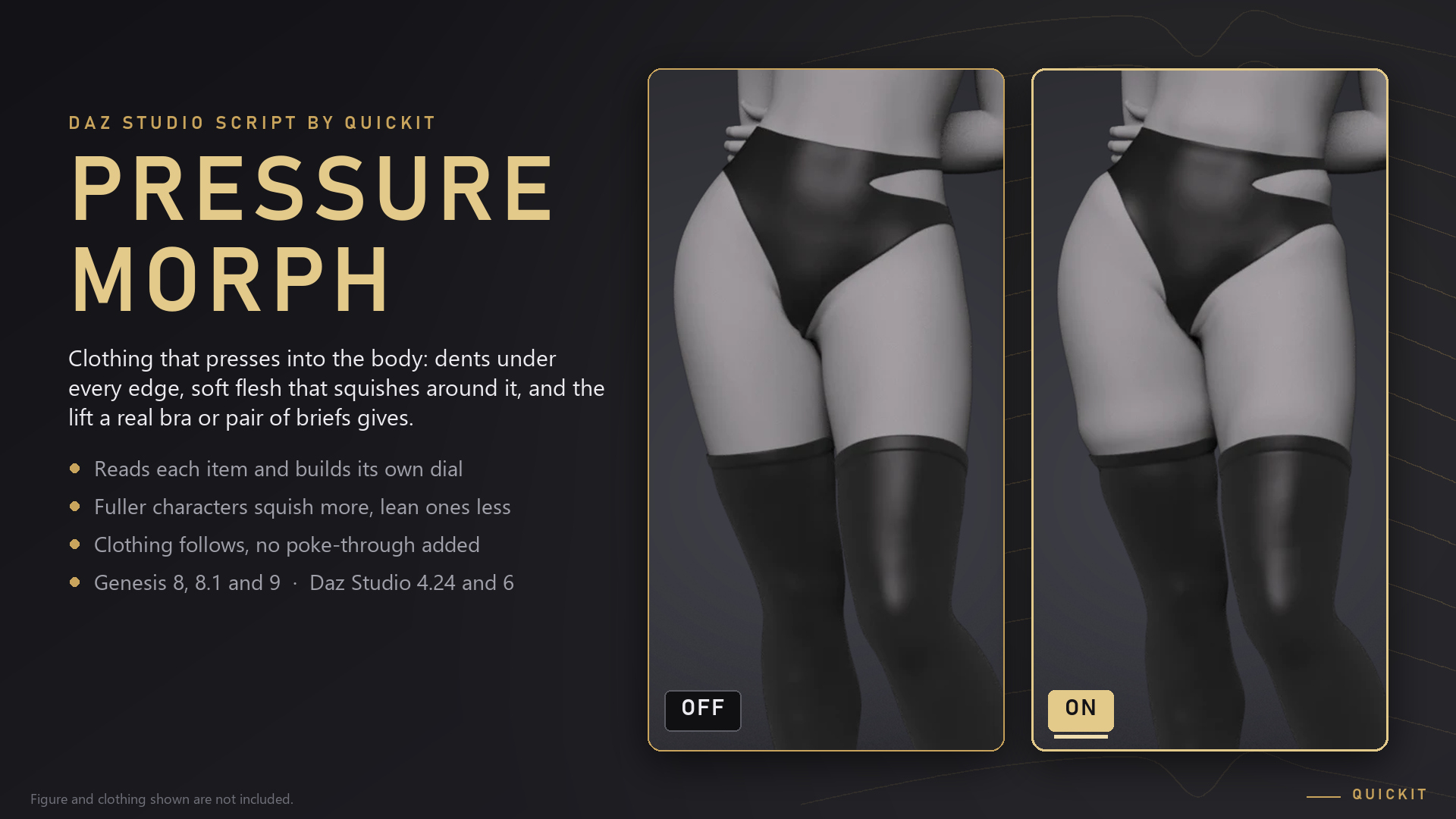
Pressure Morph makes clothing press into the body. Underwear, swimwear, stockings, straps and tight clothes dent the skin along every edge, soft flesh squishes out beside them, and a bra or a pair of briefs lifts and holds the body the way real clothing does. The clothing moves with the skin, so it stays on the body instead of floating above it.
It looks at the figure and the clothing it is wearing and builds the result as ordinary Daz morph dials, one per item. There is no simulation to run and nothing to render: an item takes about 10 to 30 seconds, and the dials save with your scene like any other morph.
It works with Genesis 9, Genesis 8 Female and Male, and Genesis 8.1 Female and Male, in Daz Studio 4.24 and Daz Studio 6.
What you get
------------
1-Click Build. Select the figure (or only the items you want) and run Pressure Morph. Every fitted item gets its own dial under Parameters > Pressure, from 0 to 300 %. No weight painting, no selecting polygons.
Knows What Each Item Is. The script reads each item's name, the product folder it came from and its shape, and presses it the way that kind of clothing presses. You can change the type of any item in the dialog:
- Underwear / swimwear: dent and bulge at every edge, lift for bras and briefs.
- Strings / thin straps: a narrow, deeper bite.
- Stockings / socks / tights: a wider band with a soft roll of flesh over the top.
- Tight clothing (jeans, bodysuits, corsets): pressure across the whole covered area.
- Rigid (belts, harnesses, armor): a lighter dent, and skin is moved out from under straps that cut into it.
- Loose clothing (dresses, shirts, jackets): a light touch only where it rests.
Shoes, jewellery and similar items are left out on their own.
Squish. On soft areas (breasts, glutes, thighs, belly) the flesh that is pressed in swells back out around the clothing, and these areas are kept smooth. Collarbones, ribs and shins barely dent.
Lift & Gather. A bra lifts and gathers the breasts. Briefs, shorts and leggings lift and hold the glutes. Sports bras, compression tops and binders press flat instead of lifting. This gets its own dial, Pressure Shape, so you can set it apart from the dent.
Follows the Cloth Stretch. Where the fitted clothing is stretched further than it was made, it presses harder. Slack cloth presses less.
Reads the Character's Build. Fuller characters squish and bulge more, lean and muscular ones less. This is measured from the figure itself.
Layered Clothing. Items worn over each other follow each other's dials, so an outer layer rides on the dents and bulges of the inner one.
Made for Posing. The dents are measured on the current pose. After a big pose change, run Pressure Morph Rebuild All: every dial is rebuilt with the settings it was made with, and your dial values are kept. Pressure Morph Remove takes everything off again. Settings are stored with each item in the scene, so this still works after you save and reopen it.
Script, Auto Pressure Morph, Quickit
https://www.renderhub.com/quickit/auto-pressure-morph-script-daz-6-and-4-24

