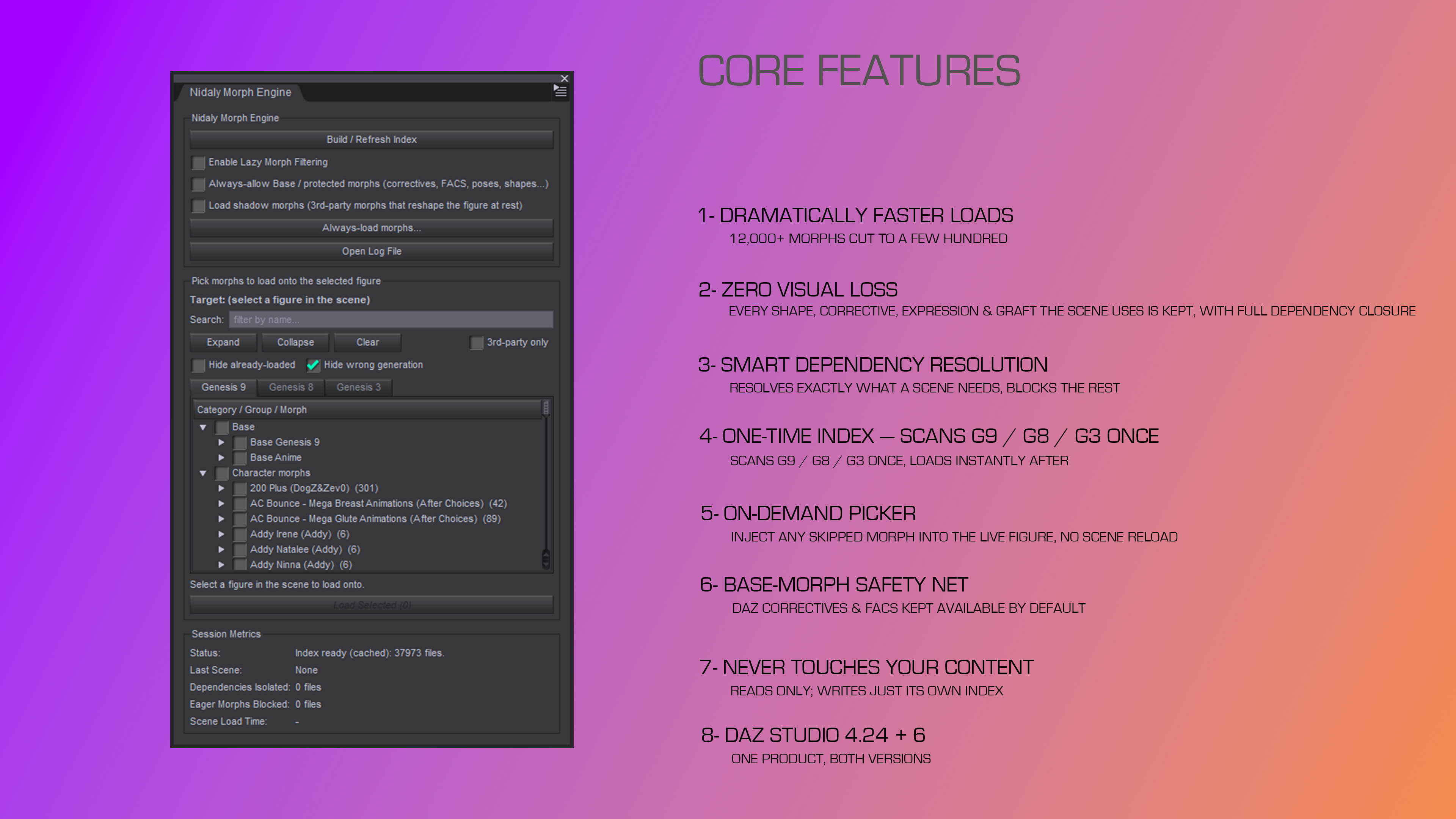
Nidaly Scene Load Optimizer and Dynamic Morph Injection (W64)
Load only the morphs your scene actually uses — and load your figures and scenes dramatically faster.
The problem
Every morph you install gets loaded onto every compatible figure, every time — whether the scene uses it or not. A mature content library means a single Genesis figure drags in thousands of morphs the moment it enters the scene, the overwhelming majority of which the scene never touches. This is the single biggest cause of slow figure and scene loads in DAZ Studio, and it only gets worse the more content you own.
What Nidaly Morph Engine does
The Morph Engine builds a one-time index of your morph library, then quietly filters DAZ's own file reads as a scene loads — so only the morphs the scene genuinely needs come through. A figure that eager-loads thousands of morphs is cut to a few hundred, with no loss of the shapes, correctives, expressions, or grafts the scene uses.
It is dependency-aware: when it keeps a morph, it also keeps that morph's full formula-dependency closure and any graft copies (eye, mouth, eyelash, tear), so nothing breaks. The result is faster figure and scene loads, lighter memory use, and a snappier session — with the scene looking exactly as it should.
Nidaly, renderhub
https://www.renderhub.com/nidaly/nidaly-scene-load-optimizer-dynamic-morph-injection
File Hosting: www.mediafire.com
(Generated from Filled Request)

