

Forum Replies Created
-
AuthorPosts
-
April 26, 2024 at 1:38 PM #2072253
New Update v1.9.5 is out
Unfortunately, I have been very ill over the last few weeks and have therefore not been able to work much on my tool.
This update only provides stability improvements and fixes the known bugs of DazArtifizer.
v1.9.5
### Added
- Console Window integrated into the GUI for better user interaction and logging.
- Template copy feedback to confirm when a template has been successfully copied.### Changed
- Increased renderosity scraping timestep from 3 to 5 seconds to mitigate issues with 'Description not found' errors.### Fixed
- Resolved an issue in FileExplorer where files would not display after using the 'Clear Data' function.
- Enhanced sanitation for Product Name inputs to eliminate forbidden characters (e.g., '/', '\', '?') that could lead to errors during DIM generation.
- Corrected the clean function in DIMBuild that previously caused that some files couldn't be deleted
- Addressed the mega upload problem present in the executable version.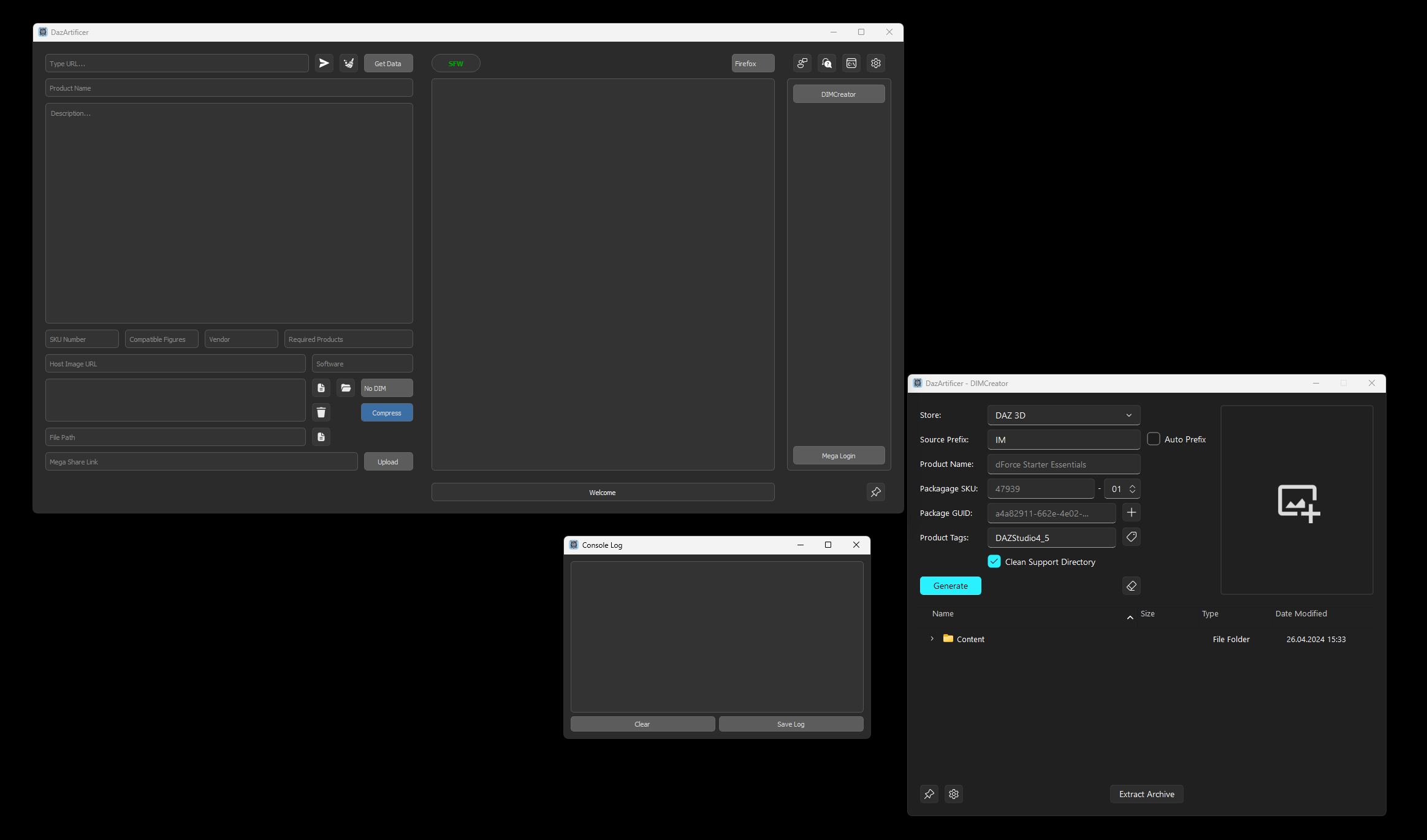 April 26, 2024 at 1:27 PM #2072248
Hi @mathmathou
For DazArtificer itself I am using the classic PyQt5 for the GUI Interface. As for the DIMCreator, I used a custom Qt5 from fluentwdigets.
Best regards,
Lewd18RatioApril 24, 2024 at 10:18 PM #2071988HI @mrbishop
Thank you for sharing the Issue, I managed to replicate the error and will fix it in the next updates.
Also, your posted link works fine
Best regards,
Lewd18RatioApril 23, 2024 at 10:13 PM #2071827Thanks for your reply.
Looks like the module mega is not installed. Weird, normally you won't need to install python or any modules in the executable, because the pyinstaller compiles them with.
Please try to install the requirements via pip.
Via CMD please enter the Assets folder where the requirements.txt is located.
Then enter this command:pip install -r requirements.txtIn the meantime I will also try to replicate the problem with a clean machine that has no python.
April 23, 2024 at 7:00 PM #2071800Hi @mrbishop
Thank you for reaching out and sharing the issue you're experiencing with my tool. It seems like there might be a problem with the integration or a missing component that the tool is trying to access.
Could you please provide me with a few more details:
1. Which version of the software are you currently using? The latest available version is v1.9.
2. What operating system are you on? (Windows, MacOS, Linux, ...)
3. Are you using the executable (.exe) version or the Python script (.py) version?
4. What is the file named, that you try to upload?
5. Do you see some errors in the logs? The logs are available after v1.8 in the folder~/Documents/DazArtificer/Logs/DazArtificer.logLooking forward to your response, so I can assist you better!
Best regards,
Lewd18RatioApril 10, 2024 at 3:41 PM #2069597New update to v1.9 is out!
Changelog:
v1.9
### Added:
- Multiple Archive Formats Support in DIMCreator: RAR and 7z formats now join ZIP, expanding the range of extractable archives.
- Smart Archive Handling in DIMCreator: In Extraction when two archives are found, one labeled as a "template" is bypassed, focusing on the content-rich archive.
- Template Copy in DIMCreator: When Extraction process starts after all checks, now the template file gets copied to a selected destination folder.
- Drag-and-Drop Extraction in DIMCreator: Users can now directly drop archives into the Explorer area for streamlined extraction.
- Settings Window in DIMCreator: Added Setting Window to be able to toggle Template Copy and select Template destination folder.
- Always on Top in DIMCreator: Added Always on Top button so the GUI doesn't go to the Background.
- Data Sending: Added Button to send scraped data like Store, Product Name, SKU Number and Image from DazArtificer to DIMCreator.### Changed:
- Extraction Logic & Error Handling: The extraction accuracy for content in DAZ base folders has been optimized, alongside clearer messages for common errors, enhancing the user experience.
- Configuration versionization: Added Versions to the config files, to prevent already created json files to be outdated### Fixed:
- Nested Archives Issue: Corrected a flaw in processing nested archives in the extraction to ensure comprehensive content extraction.
- Logging Errors: Corrected error logging because of wrong format.Link to the Tool: DazArtificer
April 5, 2024 at 10:36 PM #2068770New update to v1.8 is out!
Changelog:
v1.8
### Added
- Key Shortcuts: Implemented key shortcuts for smoother operation within DazArtificer, enhancing user efficiency and workflow.
- Auto Prefix Selection: New functionality to automatically select a prefix based on the selected store, streamlining the asset packaging process.
- Logging: Introduced logging capabilities that allow users to review application logs even after the tool or command window is closed, improving troubleshooting and monitoring.
- Validation for DIM Generation: Added a validation step before generating DIM files to ensure the presence of a recognized Daz folder within the Content folder, enhancing reliability.
- UI Feedback Enhancements: Updated the user interface to provide more feedback about current states in DIM Creator, offering better user guidance and clarity.
- ZIP Extractor: A new feature that automatically extracts DAZ files from ZIP archives into the Content folder in DIM Creator, simplifying content management.
- Error Handling Improvements: Expanded error handling to provide more robust and user-friendly responses to common issues, reducing potential confusion and frustration.### Changed
- Folder and File Creation Safeguards: Updated the logic for new folder and file creation to prevent accidental overwriting of existing items, protecting user data.
- Configuration File Update: Renamed the config file from "stores.json" to "store_data.json" to better reflect its purpose and facilitate future enhancements.
- DIM Save Destination Persistence: Modified DIM Creator to save the DIM destination path across sessions, preserving user preferences and simplifying repeated use.### Fixed
- Duplicate Processing Prevention: Disabled the Generate button during DIM creation in DIM Creator to prevent duplicate processing, ensuring a smoother user experience.
- Minor Bugs and Performance Issues: Addressed various minor bugs and performance issues to enhance the application's overall stability and efficiency.PS: I recommend saving the Download Link somewhere to prevent buying the Tool a second time, because after 1 Month, the purchase expires and unfortunately don't really have the ability to check if you had bought it or not
If you already lost the Link and your purchase already expired, please PM me so we can search for a solutionMarch 29, 2024 at 6:05 PM #2067195@thedamnthing it's wonderful to hear that my tool turned into a charm. 😀
March 29, 2024 at 6:00 PM #2067193Hi @pooper, I am happy to hear that I have your attention. I hope my tool will help you even more in the future.
March 29, 2024 at 5:53 PM #2067191Hi @wealldeserve2dice thanks for the question, I don't know how the system of the posts works, but my intention is only 1 time 500 Points. The Download link always stays the same and doesn't change. You can select also older versions.
So keeping it short, 1 time pay, getting also future version
March 26, 2024 at 7:35 PM #2066506Changelog Announcement: DazArtificer v1.7 - Big Update
Introducing
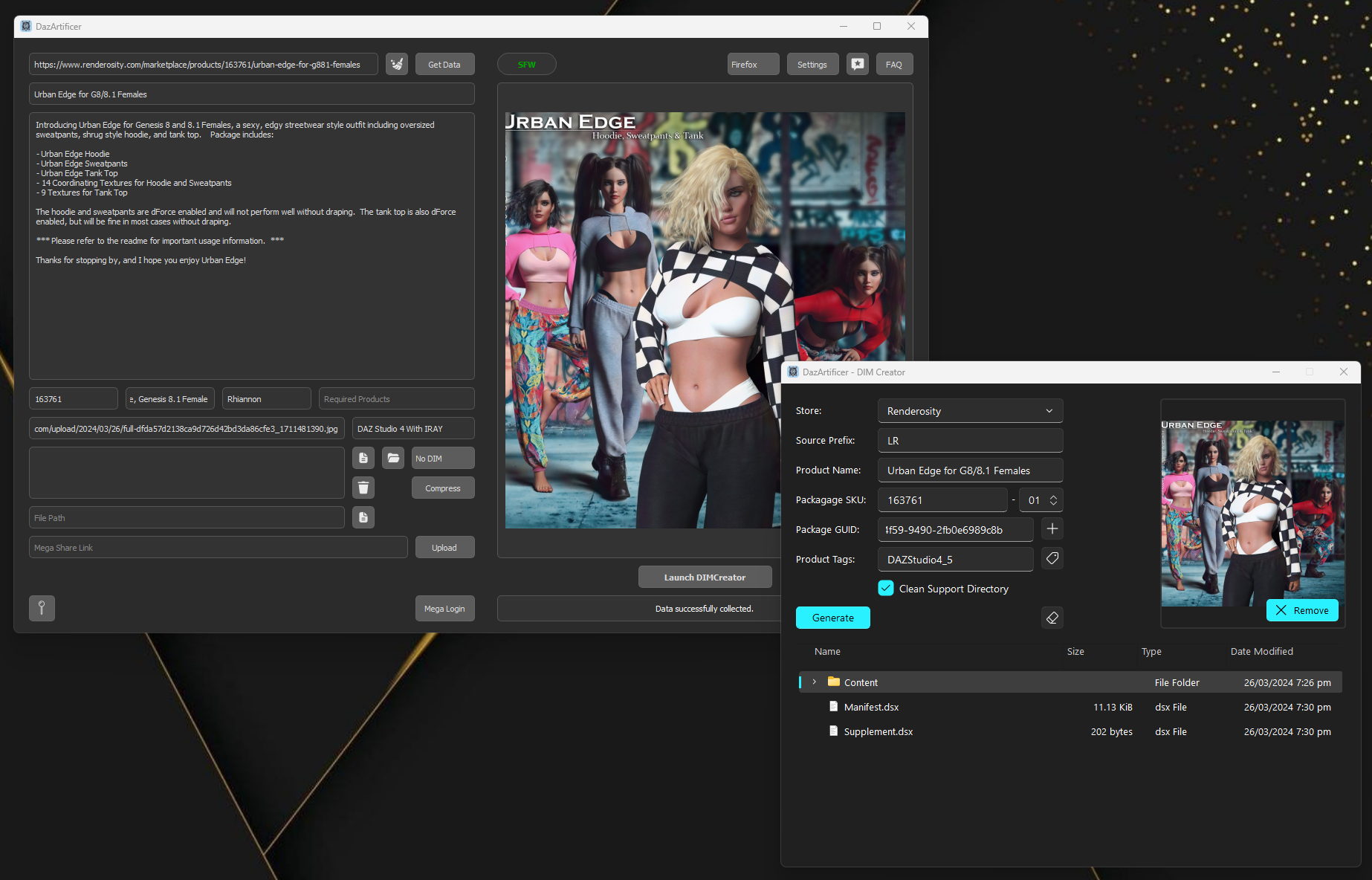
DIM Creatorto DazArtificer!I'm excited to announce a significant update to DazArtificer, version 1.7, which marks the inclusion of the DIM Creator, a tool I had initially planned to release separately. However, considering that DazArtificer itself is costing 500 points, I decided it only fair that you all get the full suite of features without extra charges. So, here's what's new:
- DIM Creator: A new tool for creating custom DIM files, facilitating easy installation and uninstallation of models with the DAZ Install Manager.
- Launch DIM Creator Button: Seamlessly transition from DazArtificer to DIMCreator, enhancing workflow and integration.
- DIM Creator Module: DIMCreator is now integrated as a module within DazArtificer, allowing for direct packaging and management of digital content.
- DazArtificer Folder in Documents: A dedicated folder for all DazArtificer files and configurations, ensuring organized and easy access.
- Configuration Management: Customizable settings and preferences stored in a new Documents folder for a more personalized experience.
This update not only enhances DazArtificer's capabilities but also underscores my commitment to providing comprehensive tools that cater to the needs of the 3D modeling and rendering community. Enjoy the new features!
 March 20, 2024 at 4:08 PM #2065017
Thank you very much for taking the time to share your experience.
I'm deeply grateful for your endorsement! It's wonderful to know that the tool has been helpful and made posting requests easier for you. Your encouragement motivates me to keep enhancing the tool. Thank you for your trust and support!March 18, 2024 at 9:52 PM #2064747I am happy to hear it 😀
Edit: read* ;D
March 17, 2024 at 11:52 PM #2064564I'm glad it helps you 😀
March 17, 2024 at 7:10 PM #2064496New update to v1.6 is out!
Changelog:
v1.6
### Added
- "Auto-Delete Originals" option for automatically deleting original files and folders after compression.
- Support for data scraping from cgbytes.com.
- "Auto-Open Archive" option to automatically open the archive file after compression.
- "Auto-Open Folder" option to automatically open the folder containing the archive file after compression.
- Slider option for selecting the compression level from 0 to 9, allowing users to customize the balance between compression efficiency and file size.### Changed
- Updated scraping logic for compatible software on daz3d.com to exclude items like Daz to Maya Bridge, Daz to Unity Bridge, Daz to Unreal Bridge, etc., focusing on relevant software compatibility information.### Fixed
- Resolved issues where compatible software information was sometimes not found on renderotica and cgbytes, improving the accuracy and completeness of scraped data. -
AuthorPosts

