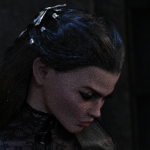
Portrait Home Page › Forums › Art Showcase › Portrait This topic has 6 replies, 4 voices, and was last updated 3 years, 1 month ago by Dita. Viewing 7 posts - 1 through 7 (of 7 total) Author Posts September 3, 2023 at 11:45 PM #2021512 gaverParticipant Rank: September 4, 2023 at 12:06 AM #2021518 Frank21Participant Rank: Nice B&W portrait graver 😘. I know there are some ways to render in monochrome within DS but would there be any difference just taking the colour image into a photo program and setting colour saturation to zero/negative? September 4, 2023 at 6:16 AM #2021541 gaverParticipant Rank: That's a good question.... September 4, 2023 at 7:02 AM #2021556 Serge2804Participant Rank: I used PS for my own portrait. I don't know or try directly on DZ 🙂 September 4, 2023 at 11:17 AM #2021575 gaverParticipant Rank: September 4, 2023 at 8:02 PM #2021683 Frank21Participant Rank: Thanks for showing that gaver. They look the same to me. September 27, 2023 at 8:40 PM #2031330 DitaParticipant Rank: Turning a render to B&W, is easy, in DAZ, just turn the saturation slider down to zero or close to if you want a hint of colour. Author Posts Viewing 7 posts - 1 through 7 (of 7 total) You must be logged in to reply to this topic. Log In Username: Password: Keep me signed in Log In
 .
.