Home Page › Forums › Art Showcase › I, goth.
- This topic has 47 replies, 16 voices, and was last updated 7 years, 12 months ago by
Anonymous.
-
AuthorPosts
-
August 13, 2018 at 1:07 AM #713602
Anonymous
InactiveRank:

 August 13, 2018 at 2:50 AM #713668
Discordia improves more and more every day. I didn't think you could improve on perfection but you always find a way Twinis! Thank you.
August 28, 2018 at 2:16 PM #734380InactiveRank: September 2, 2018 at 9:46 PM #742230InactiveRank:
 September 2, 2018 at 10:52 PM #742296
Very cool. The one above this, how did you edit the skin settings or is it base?
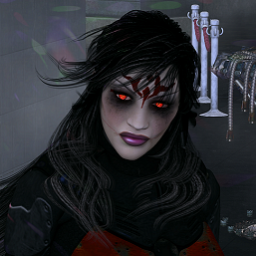
September 2, 2018 at 11:21 PM #742329InactiveRank:@d0gg0d - Discordia is a total custom creation, skin and all. Most of her details come out from her HD model details and the high detail of her skin in general. However, I think what you are talking about in the photo with the purple, she has some standard photography postwork done, skin highlighting and glamour glow effects.
September 2, 2018 at 11:27 PM #742337InactiveRank:And if I may, i'd like to invite anyone interested in Discordia or some of my other projects like the realistic Futurama project to follow me on Deviant Art.
 September 2, 2018 at 11:56 PM #742362
I've been meaning to tell you, your Discordia is very beautiful and now you have that Robot from that Futurama Cartoon looking quite handsome. Does he have Lucy Liu in his chest? You can use Godin's VHP LiMei:
https://www.renderosity.com/mod/bcs/vhp-limei/97578/
although some might think this one is more her liking:
https://www.renderosity.com/mod/bcs/index.php?ViewProduct=55181September 7, 2018 at 6:51 AM #750125AWESOME work! Wish I could get DAZ to render like that but it seems to hate me. lol
September 7, 2018 at 7:12 AM #750151InactiveRank:@painsplayground - Thank you. Good proper lighting and good textures are the ground floor getting better renders.
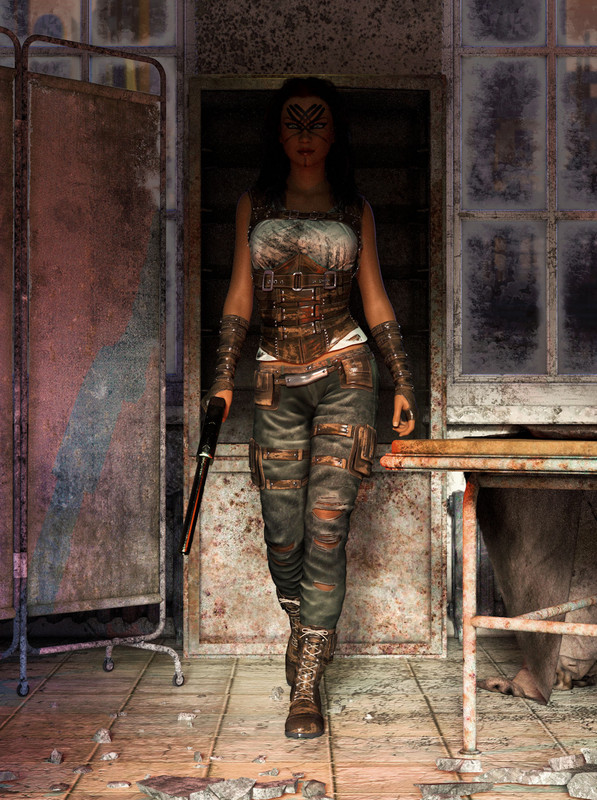
September 7, 2018 at 12:53 PM #750482It's the final rendering that I seem to keep hitting a wall with. To be 100% honest with you, I started out with Poser so this is like going from riding a bike to flying a 747 to me. lol I'll have everything set up, lighting looks great, textures are all great, go through the presets (since I'm a noob and have NO IDEA what to do with all the nobs, sliders, and doohickeys in the advanced tab) and hit render only to come out with a grainy pain in my ass. lol I've done ONE render that came out okay-ish and I still had to do some after-work on it in Paint Shop.
This is it:
 September 10, 2018 at 11:51 AM #755060
Starts-
Life is not measured .......September 10, 2018 at 3:08 PM #755238InactiveRank:@painsplayground - The more light you have on your subject here, the faster and clearer it will render up. The more shadows and dark areas you have, the longer it will take to clear out the graininess.
September 16, 2018 at 10:52 PM #764382Question, nube here! ...how many points do you get for each pic.
September 17, 2018 at 2:36 AM #764521No points. Just a place to showcase your art.
-
AuthorPosts







- You must be logged in to reply to this topic.
