Home Page › Forums › General Chat › Help with Bapho
- This topic has 8 replies, 3 voices, and was last updated 4 years, 10 months ago by
barry balls.

-
AuthorPosts
-
December 11, 2021 at 8:10 PM #1757127
Hi all,
Firstly, many thanks for sharing Bapho - he (it?!) looks great....but....
When I load him up, I get no textures or anything. The shape is there, but when I render, he is pure white - no textures at all.
Anyone else experienced this, or is it just me?
December 12, 2021 at 8:41 AM #1757238Just installed it. Works just fine for me.
December 12, 2021 at 7:29 PM #1757397Hmmm, how odd....I just tried downloading it again and still nothing. Just a grey texture-less figure 🙁
December 12, 2021 at 8:12 PM #1757404Hey Barry, can you check the surfaces tab and see if anything went wrong there? Normally characters allow you to load textures separately should anything mess up. Try finding Bapho in your content library and loading one of the Iray or 3delight Mats onto the character. If that doesn't work you can try loading another characters mats onto the model, if neither of those options work then it might be a problem with your model or base model. In the end you can still manually select the textures under your surfaces tab.
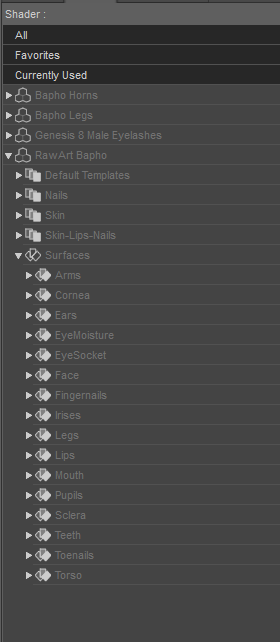
December 13, 2021 at 8:35 PM #1757621Hi there, thanks for that. Good advice. Alas everything looks in place texture wise but still comes out grey. No idea what's going on. Oh well, never mind!
December 13, 2021 at 11:22 PM #1757645Can you screenshot an example and upload it onto here? Might help get the issue across better.
December 14, 2021 at 7:36 PM #1757862Great idea...
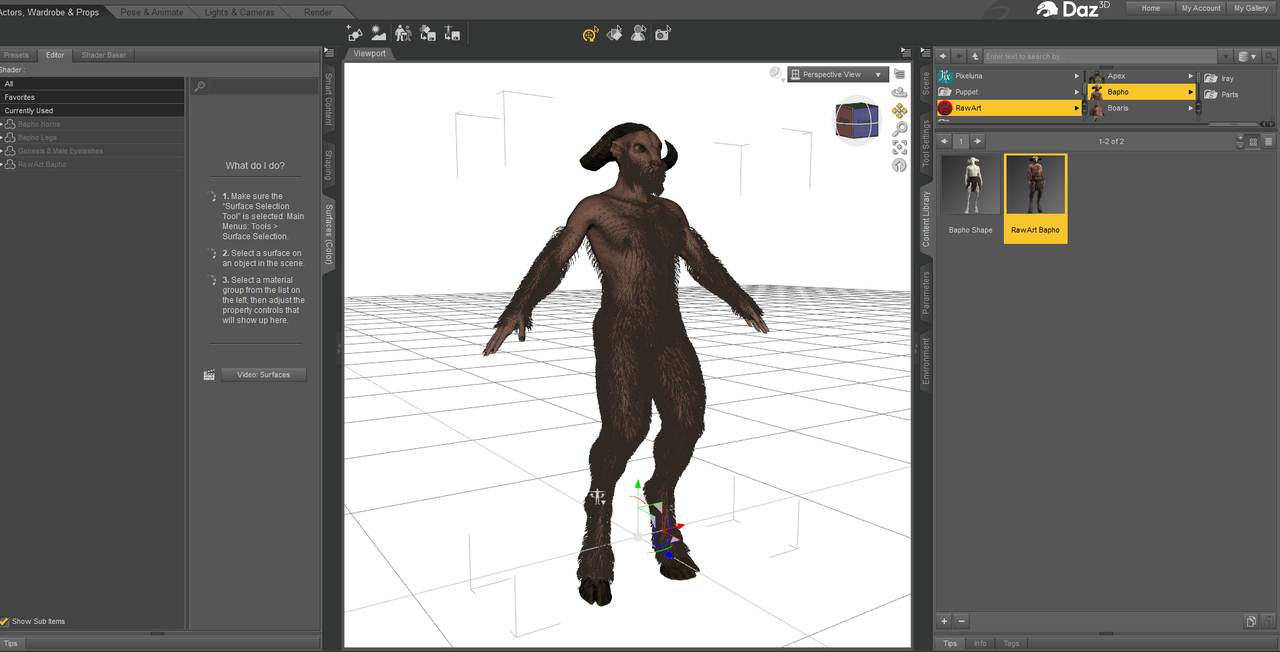
And here's the Editor/Shader panel:
And just to be sure, here's a render:
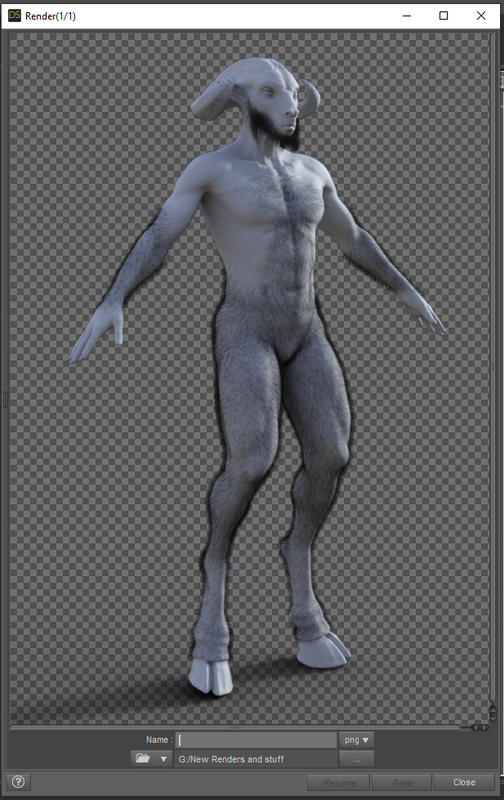
So it's got the hair - just no textures. It's really strange. I've never had this before...
December 15, 2021 at 2:03 AM #1757912My guess is two things: Your Daz studio version could be too outdated. Your renderer could be changed or the settings could be altered to cause that. I'd check your version or update then check your render settings and make sure it's also set to Iray.
EDIT: So I checked, and it's definitely because your Daz Studio version is outdated. Update it and it will work.
December 15, 2021 at 8:17 PM #1758188Legend! Thank you - all fixed 🙂
-
AuthorPosts





- You must be logged in to reply to this topic.
