Home Page › Forums › General Chat › G9 footwear issue
- This topic has 2 replies, 2 voices, and was last updated 6 months ago by
 Kheops.
-
AuthorPosts
-
April 19, 2026 at 1:05 AM #2172514
Hi guys,
I noticed that since a couple of weeks, some of the footwear I'm using with G9 is not working properly. I'm not using G8 or G3 items there, native G9 footwear. It was working just fine till now, some items are impacted, some others are not and I can't figure out why.
I'm posting a couple of pictures showing the issue:
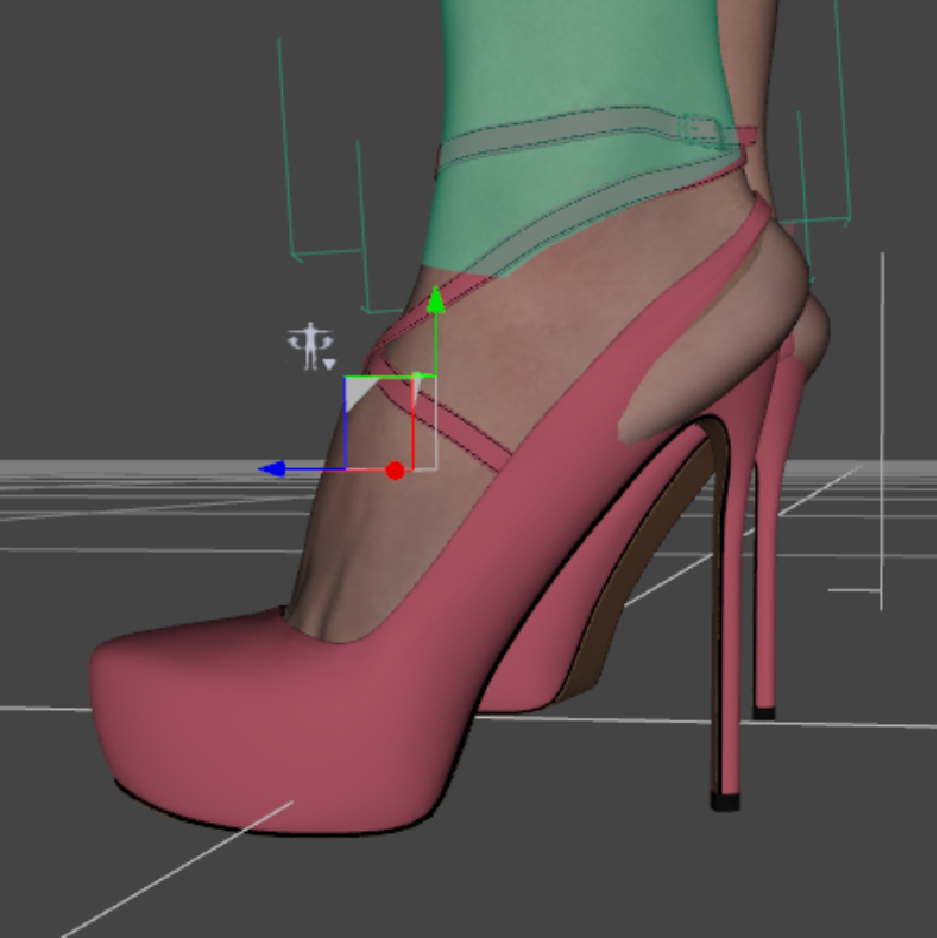
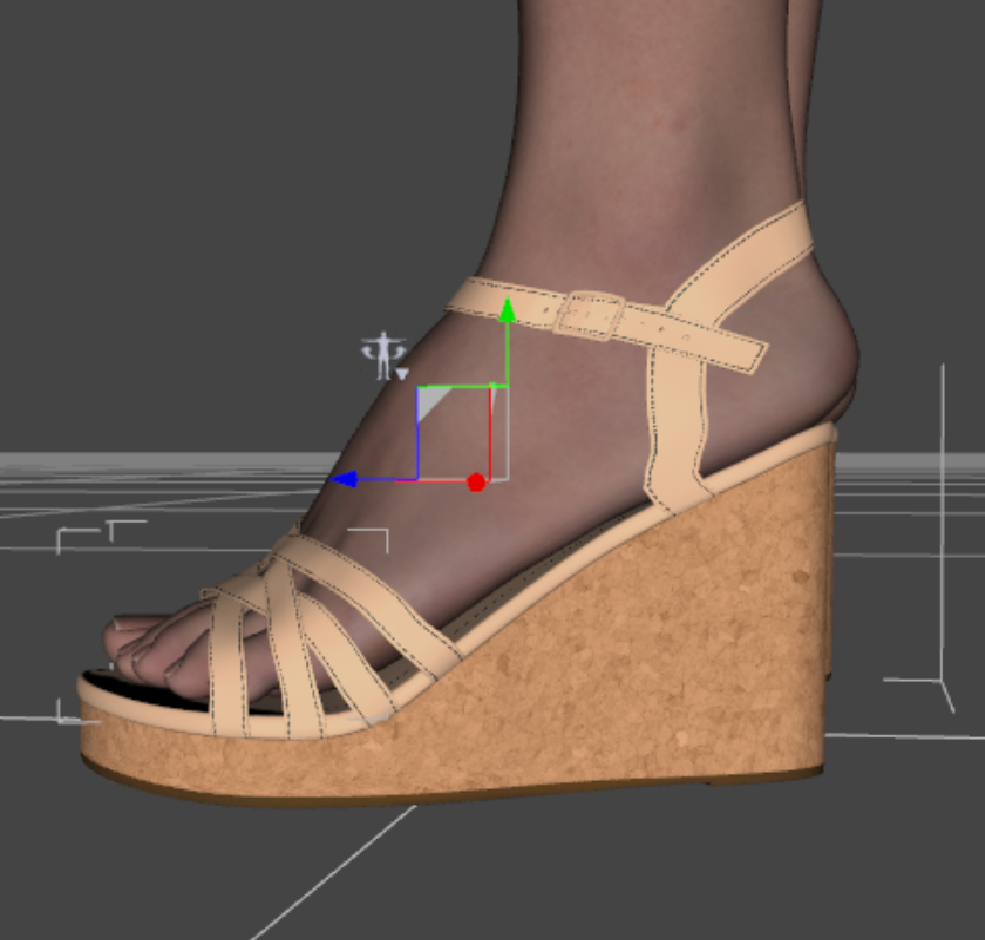
It's like not fitting properly anymore, with the shoes not in the proper position.
Any idea of what is causing that? any of you came across the same problem?Thanks!
April 19, 2026 at 6:44 PM #2172576Ask yourself, "What G9 morphs did I install recently before this problem started occurring?"
Occasionally morphs get loaded that unintentionally activate JCMs (Joint Corrective Morphs), creating conflicts. You could delete those new morphs, but maybe you've installed several new morph sets and don't know which is the culprit.
If you'd want to find the offending morph rather than delete everything, I found this simplified procedure:
OPTION 1: Non-permanent solution.
Identify any JCMs which shouldn't be active under 'Currently Used'. Disconnect/unlink the faulty JCMs so they are no longer controlled by their drivers, and set them to zero.OPTION 2: Permanent solution.
Update controllers via the Property Hierarchy and resave the updated modifier assets so they overwrite the originals.
• Parameters > Preferences > Show Hidden Properties
• Parameters tab > go into Edit Mode (right click a parameter and choose Edit Mode)
• Parameters tab > Find the faulty JCM > Right click > Show in Property Hierarchy
• Property Hierarchy tab > Go to Controllers> Stage 2
• Drag over the character's Body morph from Parameters tab into the Property Hierarchy tab Multiply slot
• File > Save As > Support Asset > Save Modified Assets (or you can manually save out individual Modifier Asset(s) to relevant content library)Lastly, I don't KNOW that this is the problem, but it likely is.
April 20, 2026 at 5:02 PM #2172672Thanks!
Finally found the culprit: Isana from Carbon Crow.
I was already checking the curently used tab, but totally forgot about showing hidden properties. -
AuthorPosts




- You must be logged in to reply to this topic.
