Home Page › Forums › General Chat › Denoisers
- This topic has 16 replies, 6 voices, and was last updated 6 years ago by
 Lodge of Dreamers.
-
AuthorPosts
-
October 7, 2020 at 12:25 PM #1633661
Anonymous
InactiveRank:
OK, so I was dreading the whole process of using external denoisers. I thought it was super complicated and I didn't want to bother. I was so wrong, it was extremely easy to setup and start using.
This actually blew my mind and I just wanted to just share my excitement and even introduce this to those that haven't heard of it.
I know DS has an internal denoiser but it takes a lot of time to give out something that isn't flat and painterly. The Intel denoiser is amazing and gives results in an instant. This page offers all the items and information you'll need.
https://taosoft.dk/software/freeware/dnden/October 7, 2020 at 12:45 PM #1633663Could you provide an example of a render using this denoiser and not using this denoiser? That would be helpful (to me at least). thanks!
October 7, 2020 at 1:37 PM #1633668Hello, is this link for the "fireflies" (the small luminous dots) that we see when rendering?
Is it good for that?
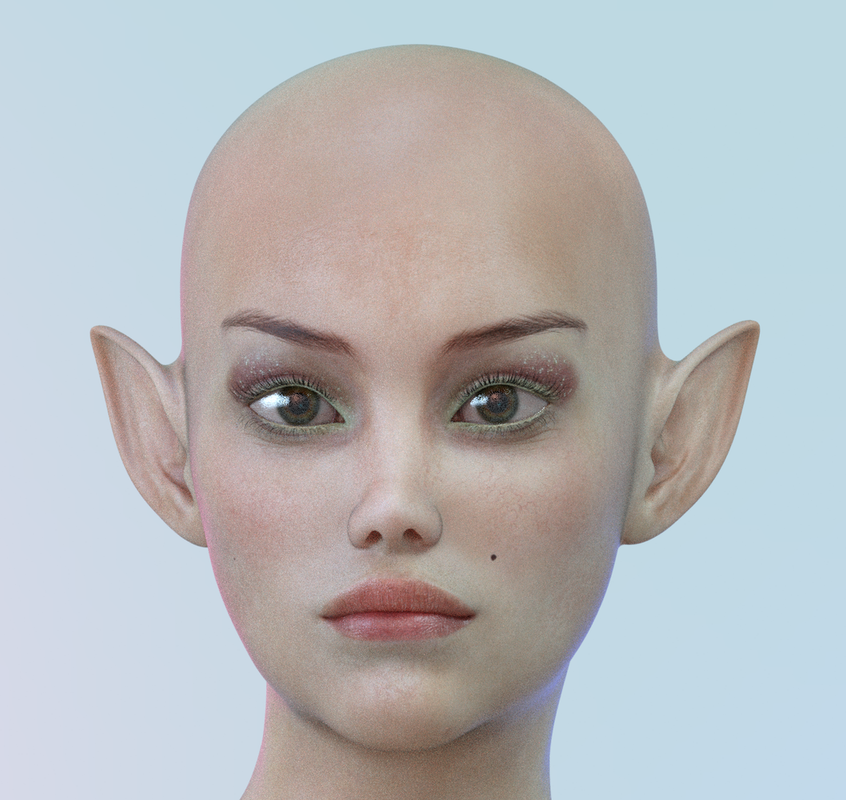
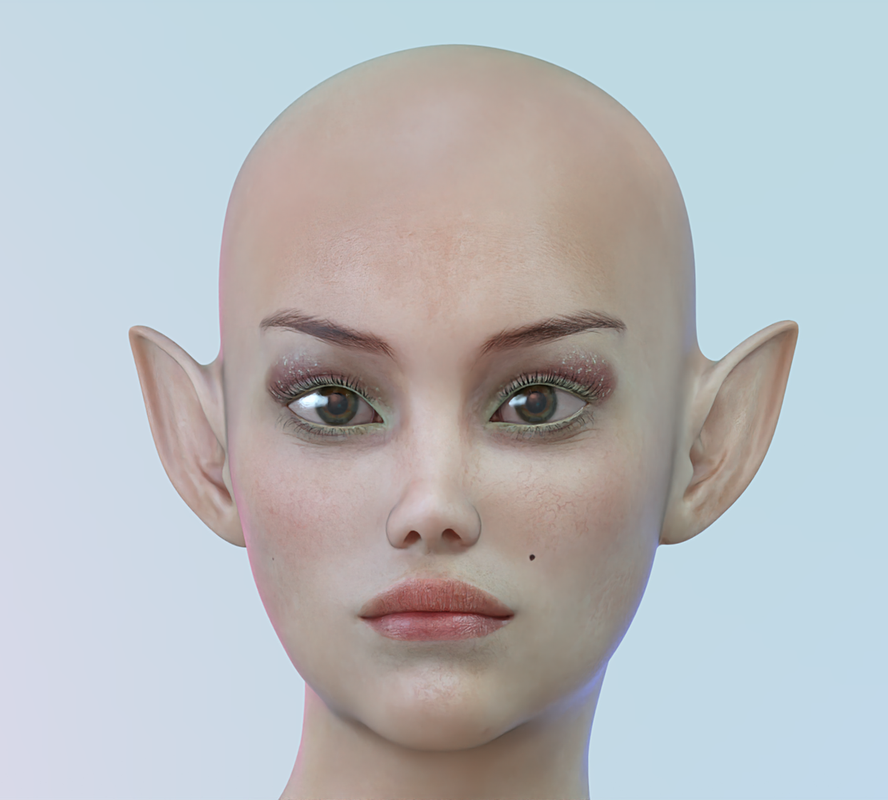
Because with the iray rendering, it takes a long time to make all these points disappear ....October 7, 2020 at 1:48 PM #1633671InactiveRank:It works great for fireflies as well. Here's a 30 second render and then with the Intel Denoiser (5secs)
 October 7, 2020 at 2:04 PM #1633672
Would be very helpful if you made a Youtube video on setting up and using this item.
October 7, 2020 at 2:21 PM #1633675Trader wrote: Here’s a 30 second render and then with the Intel Denoiser (5secs)
Nothing attached. Zone seems to be having problems with attaching images recently. It shouldn't be that hard to attach an image.
Anyway, here's a link from the download page that links DAZ forums. It has good examples of what this baby is capable of. I'm going to give it a try...
October 7, 2020 at 2:23 PM #1633676InactiveRank:Weird, I can see the images.
I have no idea how to make a youtube video, but this was a 2 minute process. I made a Folder in my desktop and unziped the 3 zips. The I run "DnD for nVidia & Intel Denoisers.exe" and setup the path for the 2 denoisers.
Denoiser_v2.4 is Nvidia and
Denoiser_v1.3 is Intel
And that's it. I just checked which one I wanted to use, or both and dragged and dropped the image in the app.
There's also a way to put this function in your context menu when you right click on an image, but I don't like messing with the resistry.October 7, 2020 at 3:11 PM #1633679You should use both Nvidia & Intel to denoise then compare because they have different outcomes on each scene. A good scene is mixed between acceptable denoise and detail. One of denoiser will remove detail.
October 7, 2020 at 3:24 PM #1633680InactiveRank:I compared both but intel for me was better in all images I tried it with. Nvidia lost too many details and had more artifacts.
October 8, 2020 at 7:24 AM #1633793Hello, I admit I don't really understand how to use these files
i am using daz studio but i don't see how to use files with daz studio ???October 8, 2020 at 11:15 AM #1633801InactiveRank:It doesn't need Daz Studio. You just drag and drop any image into the application and it does it automatically.
October 8, 2020 at 12:47 PM #1633810There are 3 files
in which to deposit?so if i understand, i render with daz, and then apply on the render image?
But which of the 3 files?
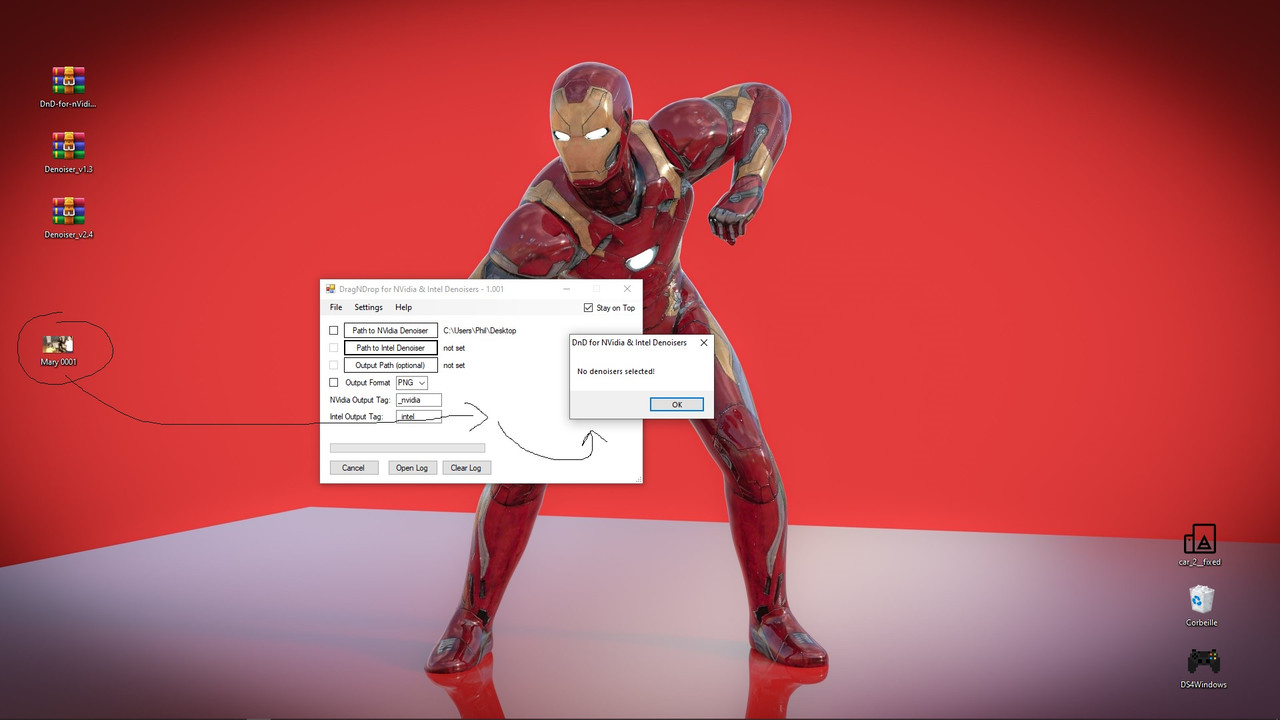
Thank youOctober 8, 2020 at 12:52 PM #1633811I uploaded an image and it tells me no demoiser selected
October 8, 2020 at 1:02 PM #1633812OK I succeeded
thank youOctober 9, 2020 at 1:22 PM #1634037https://sites.google.com/site/mcasualsdazscripts9/mcjdenoise
Or, topaz in photoshop.
-
AuthorPosts








- You must be logged in to reply to this topic.