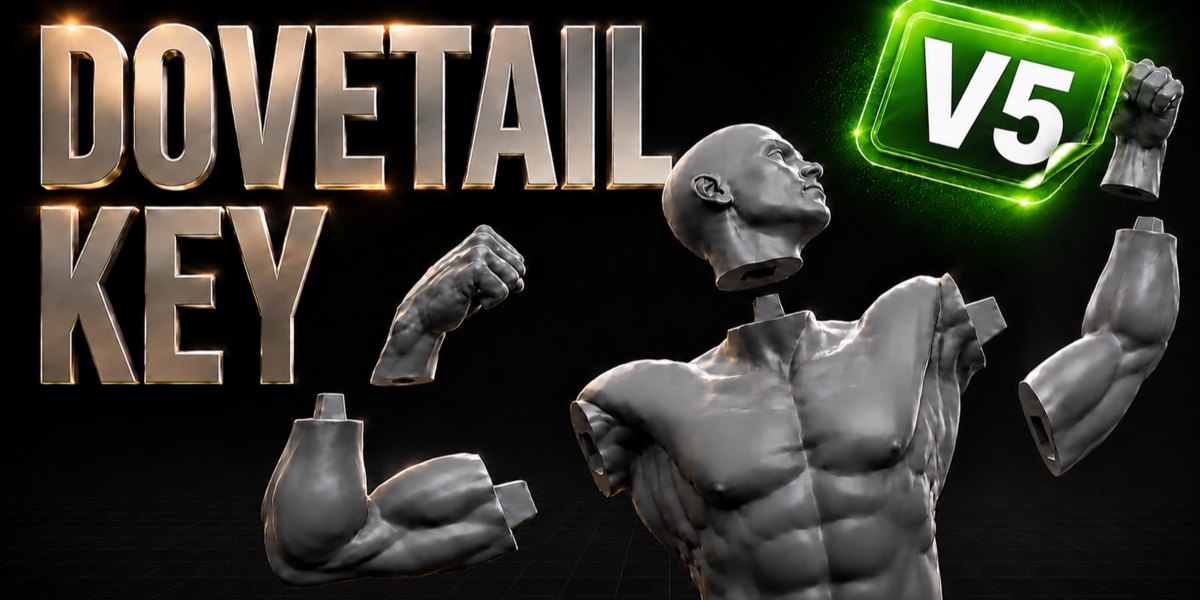
Dovetail Key v5.0.1
Note:I tested on my system on Blender 5.2 and it's working very well!it's 5.0.1 version.
Dovetail Key
Draw a line across any model — it splits into printable parts joined by a strong, self-locking dovetail key. Two clicks, no manual booleans, no crashing on heavy sculpts.
Draw to Cut Self-Locking Joint High-Poly Safe
VERSION 5
NEW · LATEST UPDATE
Introducing Surface Pen
Draw your cut line directly ON the model, like a pen on the surface. Paint a stroke, let go, orbit the view, and keep drawing — that's how you take a cut line right around an arm or a leg. Nothing is cut until you press Enter.
TOTAL CONTROL OVER THE CUT LINE
The pen sticks to the surface under your cursor, so the line lands exactly where you want it — no more guessing how a screen stroke will project onto the model. Pause, rotate around the model, continue the same line, and close the loop wherever you started.
Surface Pen easier cut line control
FULLY EDITABLE BEFORE YOU CUT
Your stroke becomes an editable curve with visible points. Drag any point to reshape the line, Ctrl+click on the line to add new points, and delete the ones you don't need — with a Points slider to control how dense the handles are. Only when everything looks perfect do you press Enter and make the cut.
Editable cut line with points
VERSION 4
MAJOR UPDATE
Introducing Recessed Seam
A whole new way to join your parts — plus a dedicated fit control, an Explode preview, and important Freehand Cut bug fixes.
RECESSED SEAM — TAB & POCKET JOINT
Recessed Seam builds a conical tab on one half of the cut and a perfectly matching pocket on the other — so the two pieces self-align and snap together along the seam itself. The joint is constructed directly on the geometry (no boolean pass), leaving clean, watertight halves with control over Depth, Offset from the edge, and Segments. Perfect for hiding the connection inside the model where nobody sees it.
Recessed Seam tab and pocket
NEW SOCKET GAP CONTROL
The Recessed Seam now has its own dedicated Socket Gap slider — independent from the dovetail's clearance. It widens the pocket relative to the tab, so you can dial in bigger gaps for a looser, easier fit when your printer or material needs more breathing room. Small gap for a tight snap, larger gap for effortless assembly.
Socket Gap control
EXPLODE VIEW
Pull the pieces apart with one click to inspect every joint before you print. Explode separates the halves along the cut so you can check the tab, the pocket and the fit from every angle — then bring them right back together.
Explode view
ALSO IN VERSION 4
Freehand Cut bug fixes — strokes now stay exactly where you draw them, with no cuts leaking into geometry the blade never touched. More reliable results on complex, multi-part and already-cut models.
VERSION 3
MAJOR UPDATE
Introducing Ball Key
A brand-new joint shape joins the classic dovetail — plus smarter key placement and a stronger cutting engine for heavy sculpts.
BALL KEY — A SECOND JOINT SHAPE
Switch the Shape dropdown to Ball and the cut gets a ball-and-neck peg instead of a wedge. The sphere is wider than the neck, so it locks like a keyhole — and the socket is a perfectly matched capsule bore with print-ready clearance. One watertight solid, ideal for organic and rounded parts.
Ball Key joint shape
NEW OFFSET CONTROL
Slide the key anywhere along the cut. The new Offset control moves the key's position across the cross-section, so you decide exactly where the joint sits — centered, tucked to one side, or wherever the print needs it.
Key offset placement
STRONGER ON HIGH-POLY MODELS
The cutting engine got a serious upgrade. It now falls back through multiple boolean solvers automatically and routes every piece to the correct half — so dense, non-manifold character sculpts cut cleanly, even with repeated cuts through already-keyed regions.
High-poly cutting performance
VERSION 2
NEW · MAJOR UPDATE
Introducing Freehand Cut
Straight lines were just the beginning. Toggle Freehand and draw any curve you want across the model — the cut follows your stroke exactly. Your hand-drawn path becomes a smooth cutting blade that slices clean through, giving you two perfect pieces along a completely custom seam.
Curved seams that hide along natural lines of the model, organic splits on characters and sculpts — and it stays rock-solid even on million-polygon meshes.
Freehand curve cutting
WATCH IT IN ACTION
AS SIMPLE AS DRAWING A LINE
Two clicks across the model and the cut plus the dovetail key are built instantly — only the part under your stroke is touched.
Drawing a cut line
THE PROBLEM
Your model is too big for the print plate. Splitting it by hand and building joints that actually line up takes ages — and booleans crash on dense sculpts.
THE FIX
Draw one line. Dovetail Key slices exactly there and builds a male peg + female socket with print-ready clearance — pieces that snap together like puzzle parts.
Everything It Does
Draw-to-Cut
Slice exactly where you draw. Only the geometry under the stroke is cut — the rest of the model stays untouched.
One-Click Dovetail
Automatic male peg + female socket with print-ready clearance, so the two halves lock firmly together.
Auto or Manual Sizing
Auto-sizes the key to the cut cross-section, or switch to Manual for full control over scale, height and depth.
Live Preview & Flip
Preview scale, height and orientation before you commit. Flip auto-swaps the male and female sides.
Adjustable Fit
Tune clearance, taper, height and solver (Fast / Manifold / Exact) to match your printer and material.
High-Poly Safe
Built on bmesh to handle heavy, dense sculpts without crashing. Undo Last Cut & Delete All Cuts keep it non-destructive.
FULL CONTROL OVER THE KEY
Adjust the size, height and depth of the key live until the fit is exactly right for your print.
Adjusting key size and height
A TRUE LOCK-AND-KEY JOINT
The standard dovetail shape gives a real male/female lock — the parts align and hold together with no glue needed.
Standard lock and key dovetail shape
Perfect For
✓ Resin & FDM prints that are too big for the plate
✓ Action figures, busts and statues split into clean parts
✓ Cosplay props and large costume pieces
✓ Modular kit-bashing and assemblies that need to come apart
https://superhivemarket.com/products/dovetail-key
Required Product:Blender 4.2-5.2
File Hosting: Google Drive

