Home Page › Forums › General Chat › sorting my library/searching
- This topic has 8 replies, 6 voices, and was last updated 3 years, 2 months ago by
 Russell H.
-
AuthorPosts
-
July 11, 2023 at 1:57 AM #1996621
I have too much stuff, I need to do housekeeping. So I was trying to search for some assets I had, I thought great I will use the search function. it always comes up with zero results.
I don't know if it is how disjointed my library is or if this is just DAZ being DAZ. my current location is C:\Users\Public\Documents\My DAZ 3D Library\ then all the folders should there be one more folder hierarchy or am I over thinking this?July 11, 2023 at 6:26 AM #1996705I highly suggest you install a program called Listary... it will help you in so many ways 🙂 The only reason I can think of that nothing shows on the search function is you didn't give it permission to archive the files? but don't listen to me.. LOL I'm sure someone who actually knows something can help with that. But Listary... it's a great little program that runs in the back ground, you just hit the ctrl button twice to bring it up.
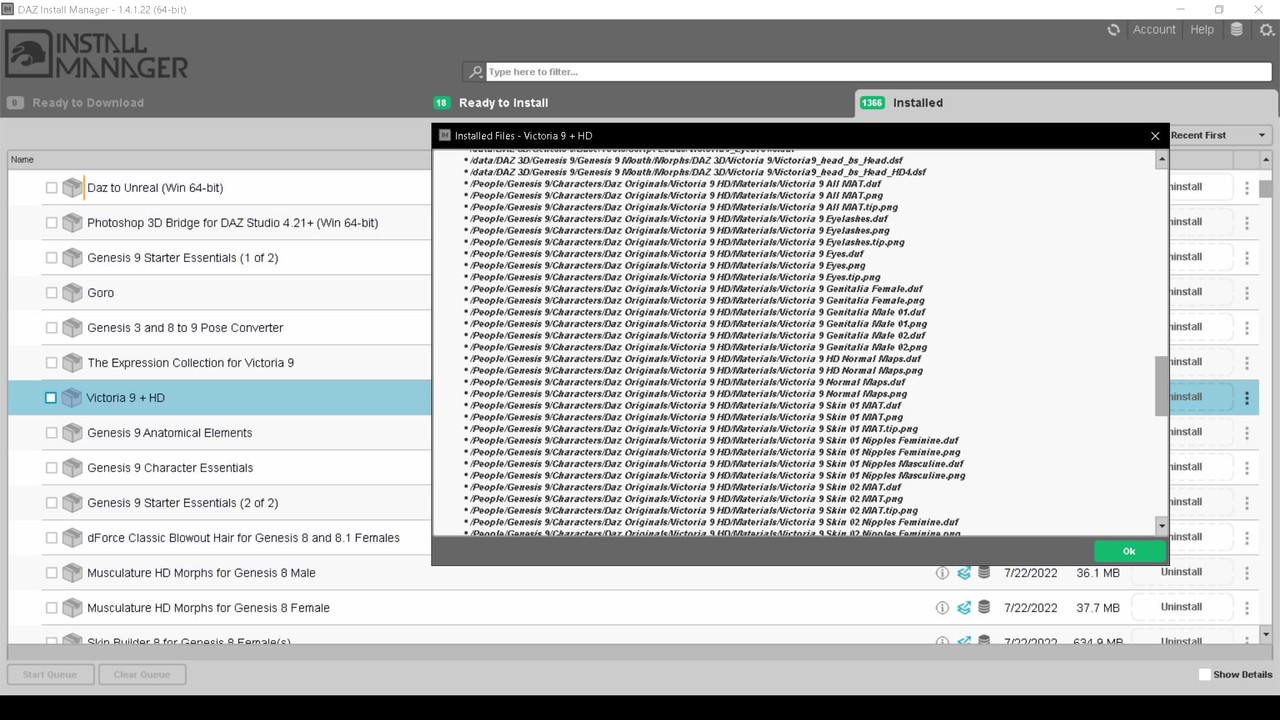
July 11, 2023 at 7:45 AM #1996733Or if you have installed them through DIM, in order according to time, recent, etc..., you can see where everything is by right clicking, "installed files"...
Another thing is that I manually put assets from Renderosity, Renderotica, etc... There is no .dsx file, for the database...
To avoid that "inopportuneness", you have to use this: It create the "metadata"..., then, install from DIM, in "OffLine"
For any "content" extra-Daz, this:July 11, 2023 at 8:19 AM #1996742July 11, 2023 at 1:13 PM #1996951OR... you could just take a break and go have a nice lunch - complete with a yummy dessert! That always helps fix my problems with Daz!
Seriously tho, I recommend while you are doing this work, you might want to transfer all your daz files to an external drive. My computer works so much faster after I moved that giant library of Daz off my C drive! I also took that time to delete all the old Gen 1 and 2 from my files as they were nothing I was ever going to use again.
July 14, 2023 at 3:38 AM #1998317Manual Installation is the method I choose when I started a few years ago. As eelgoo said it is a bit of work - but it is worth it. I've made my own categories, as it allows me to find assets easier. I have everything on one of my hard drives.
July 17, 2023 at 4:19 AM #1999927Sorry for the late reply, the issue is within Daz itself. So if I know I have a prop, say a measuring cup. I know it is a kitchen set. But my Daz prop lists the folder as the Authors name, this can get aggravating. So if I rename the folder will it still be accessible? Should I rename it in Daz or in explorer?
July 17, 2023 at 5:20 AM #1999934Can be done both ways. I prefer to use to explorer, as it is easier. I adjust how my database looks at once a week, as there is always something that can be changed.
July 17, 2023 at 6:54 AM #1999952thanks, I will start with a category a day. It will help, appreciate it!
-
AuthorPosts








- You must be logged in to reply to this topic.
