Home Page › Forums › General Chat › Hair Issue: Kink in hair for G8 on G9
- This topic has 8 replies, 4 voices, and was last updated 3 years, 5 months ago by
 Richard Y..
-
AuthorPosts
-
April 11, 2023 at 10:25 PM #1955464
Hi all,
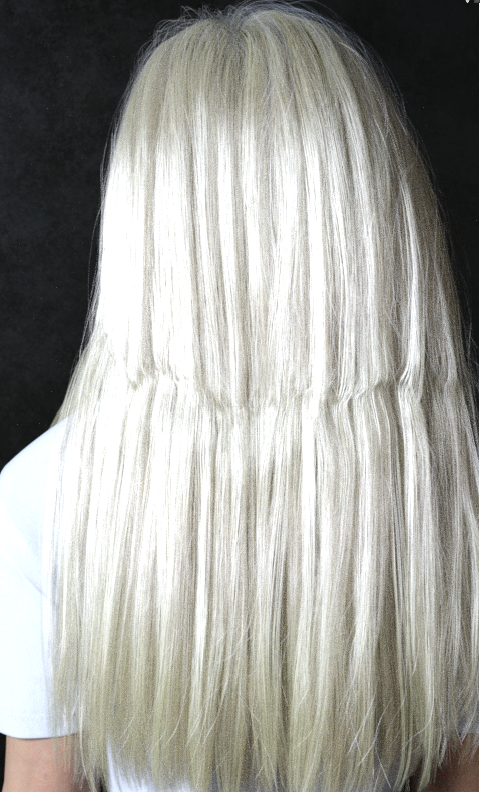
Still quite new to Daz and also to G9. I'm encountering an issue with pretty much all hair on a G9 character that was designed for G8. Just wondering if it is at all possible to eliminate the kink that appear at the neckline in the hair after simulation? This is Linday Straight Hair.Any advice or tutorials would be appreciated.
 April 12, 2023 at 2:04 AM #1955498
Linday's soft classic?
It seems irrelevant to dForce.. The distortion might come from a G9's body or head morph which triggered auto follow morphs on the hair. You may try: select the hair, Show Hidden Properties in Parameters pane, search the name of character you're using now, and dial the value of the hidden morph to zero or lower value...April 12, 2023 at 5:34 AM #1955527Thanks for the response Richard - I'll give that a go later tonight.
April 12, 2023 at 6:10 AM #1955538I think this is a bones problem between the models. Most suggest not to fit the hair but just parent it to the head. This has its own problems with properly fitting the hair to the head when moved. Life wasn't meant to be easy, get used to it.
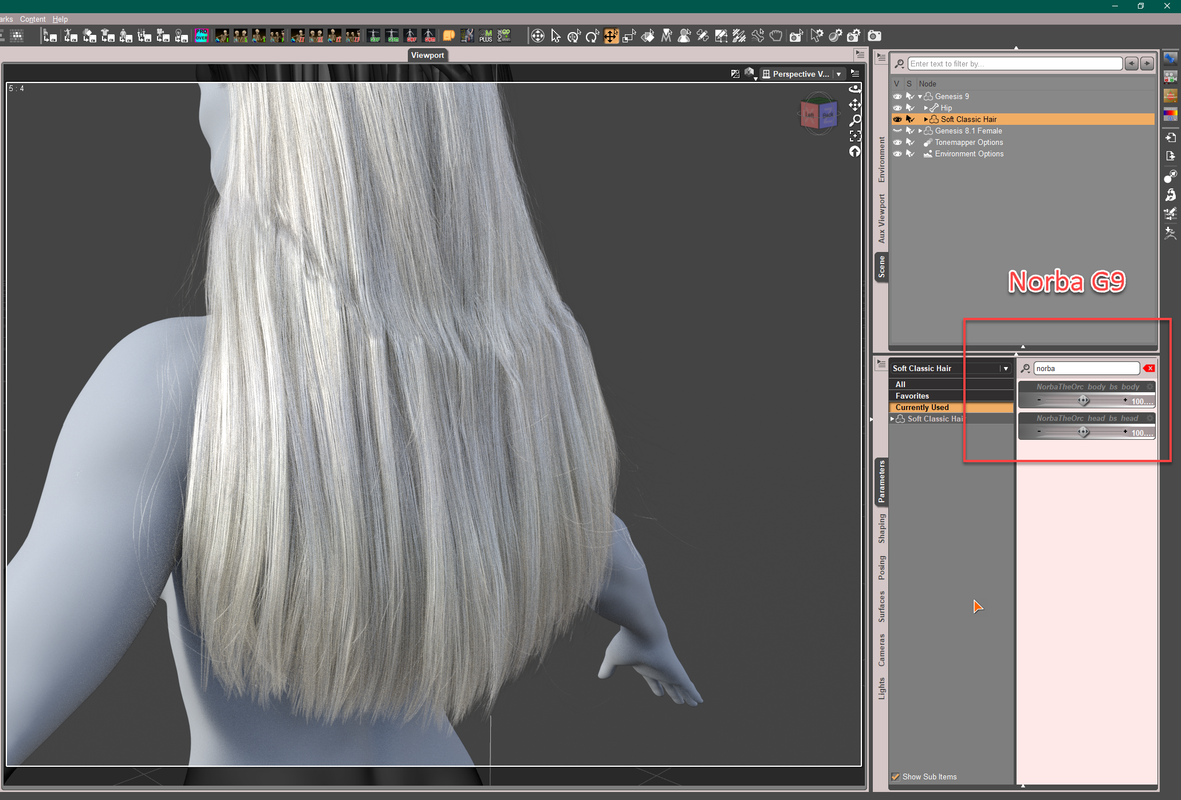
April 12, 2023 at 10:16 AM #1955659@planetshady69 Just as this example:
Autofit to Norba G9:
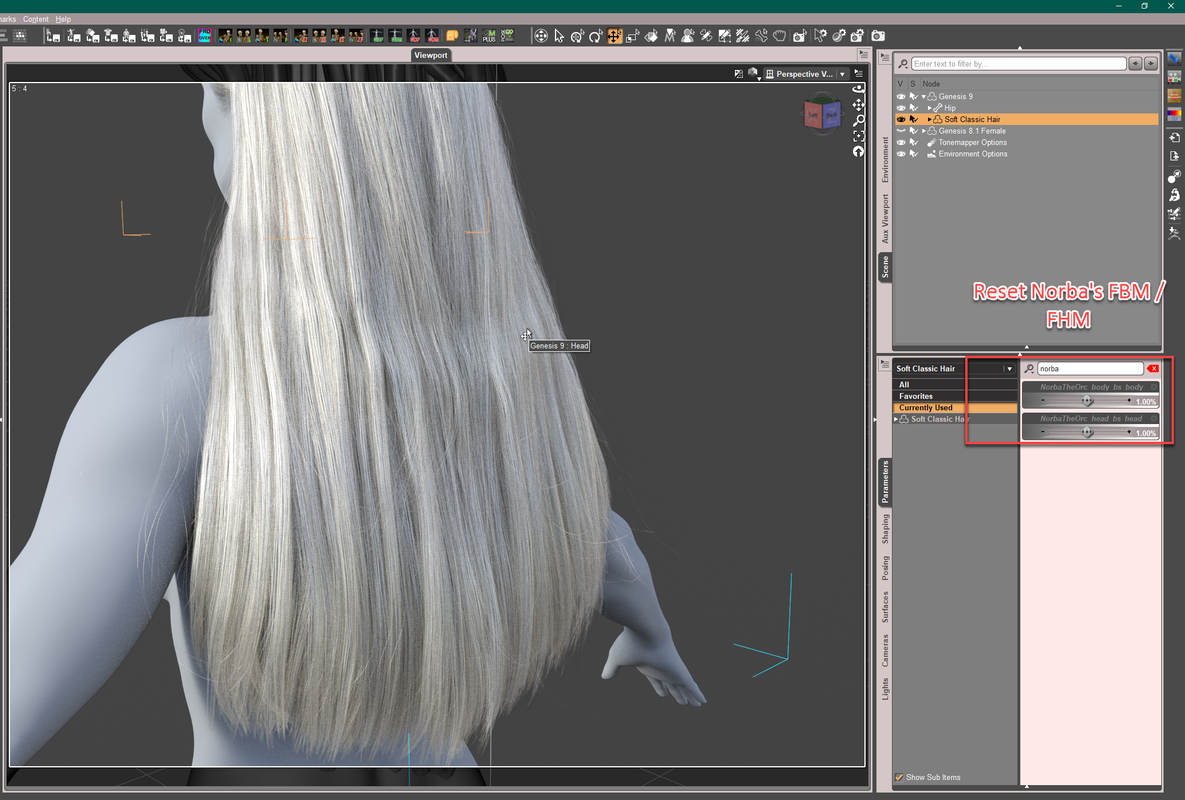
Better: Reset FBM/FHM, or just FBM of the hair:
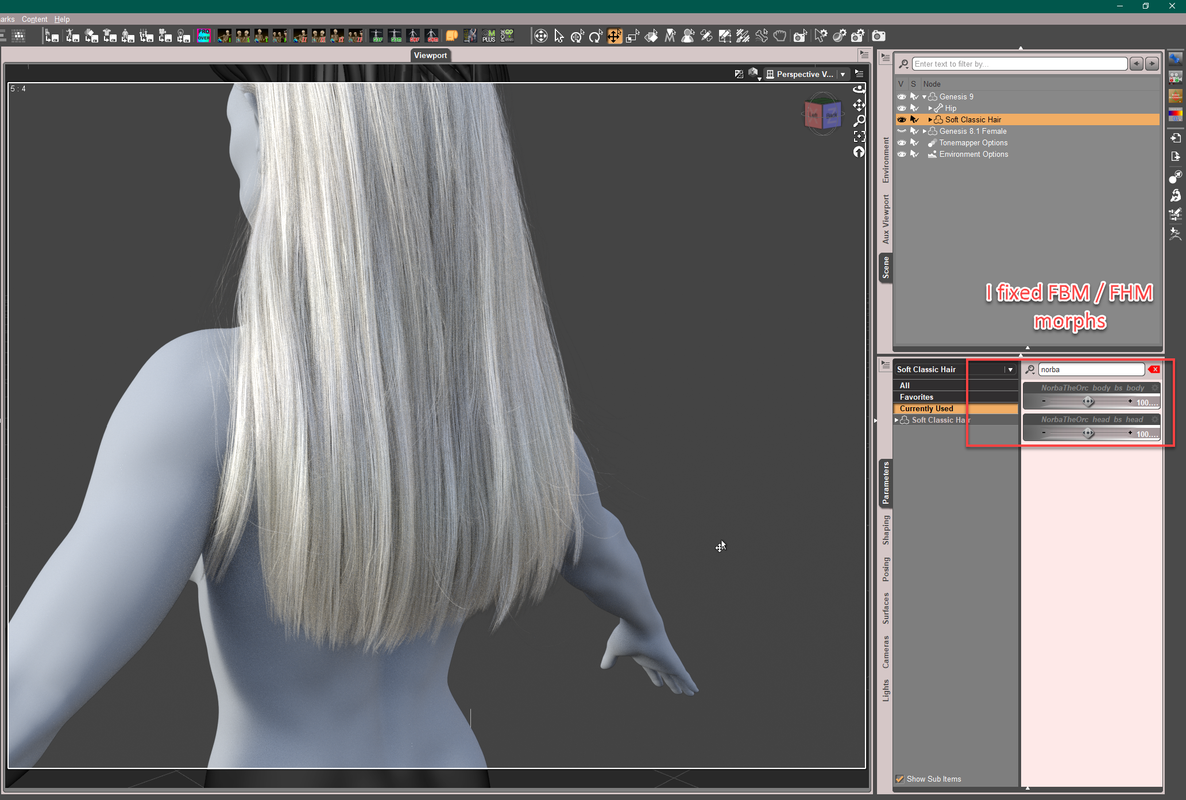
Even better: I roughly fixed FBM/FHM:
Direct parenting might be doable as long as you don't mind: inconformity, losing JCMs and different simulation results...
Autofitting garments / hairs,etc to G9 still has to be improved. The weights transferred from those 'spines' are not as good as what we expect.
TBH, I'm pretty good at converting these stuff.. But at this stage, I'd rather convert products from G9 to G8... lol
April 12, 2023 at 2:11 PM #1955730I see it a lot, and not just on G9, but on any hair where the head scaling (usually the Head Propagation Scale) is larger than default. It results in the neck shrinking. My little toon characters suffer from this immensely.
The only cure I've seen so far is to load the hair you want into the scene, but do not conform it to the figure!
Instead,
1. Load the hair into the scene independently, without having anything selected.
2. position the hair on the head.
3. Scale it roughly to the size of the head
4. Set Figure > Geometry > Smoothing Modifier on, and set it to smooth against the figure
5. In the Scene Tab, parent the hair to the figure's head (drag+drop the hair item under the head item.)
This will remove that squeezed-hair syndromes, though in very extreme head/neck bends, the hair may begin to show the back of the head a little, so you'll have to be careful of that.
If you want/need an example, download one of my little toon items, and see how I rigged the hair on it in the Scene Tab: https://zonegfx.com/author/pooper/
April 12, 2023 at 3:26 PM #1955746Such an issue mostly comes from FBM/FHM. That's why PAs usually provide fixed FBM/FHM of popular characters to the hair. Beside, if the hair has some unique bones with rigging, it's gonna be even troublesome, let alone cross 'generation' fitting.
As for direct parenting, there should be no big problem for a short hair, but long hair is different, esp. non-dforce hairs. You have to tweak the hair morphs after posing the figure since JCMs are all gone. So it really depends.
The best way is to fix FBM/FHM but such a way might not be for everyone...
April 18, 2023 at 1:27 AM #1958140@Windreaver0118 You're a life saver! I took your approach which worked for me.
Thanks for imparting your knowledge and experience. Much appreciated.
April 18, 2023 at 6:45 AM #1958189@planetshady69 You're welcome ~ 😀
-
AuthorPosts







- You must be logged in to reply to this topic.
