Home Page › Forums › General Chat › Problem with teeth glitching out on G8F
Tagged: help
- This topic has 13 replies, 6 voices, and was last updated 5 years, 9 months ago by
 Cage.
Cage.
-
AuthorPosts
-
December 31, 2020 at 3:11 AM #1654315
So, I've been having a problem, with one of my characters in specific.
I usually make my characters from mixing up models and using sliders, and I noticed that recently my character's teeth has been glitching out really bad:
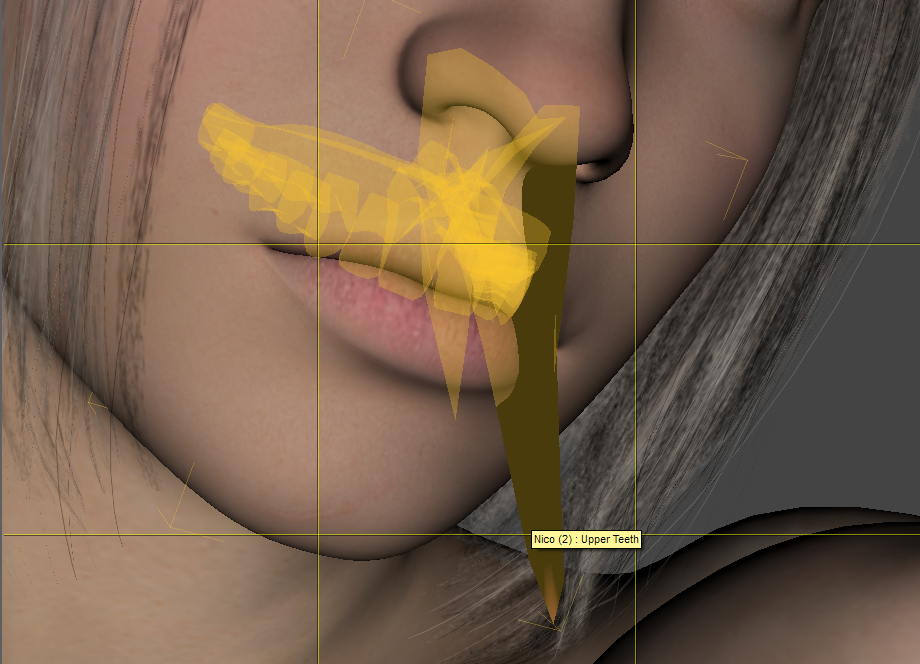
I found out that what might be glitching her teeth is one of SY's sliders (Legs Length, to be more specific)
HOWEVER, if I put the slider to 0 (it's in -45%) it glitches out even more.
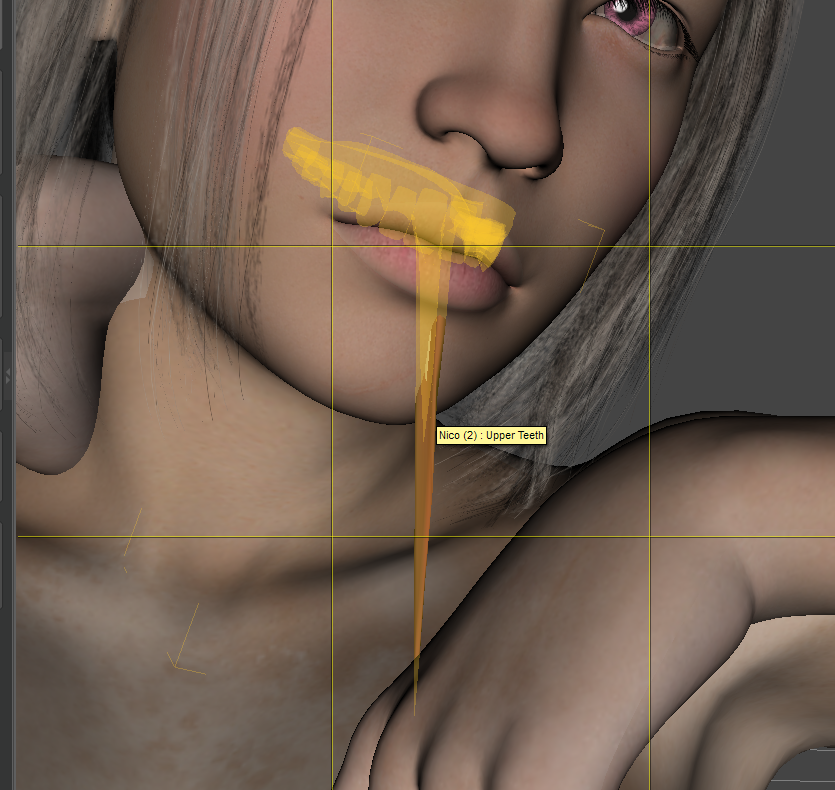
Does anyone know how to fix this? It's been bugging me for a while. Thank you!December 31, 2020 at 3:15 AM #1654316Turns out it gets worse if I change poses:
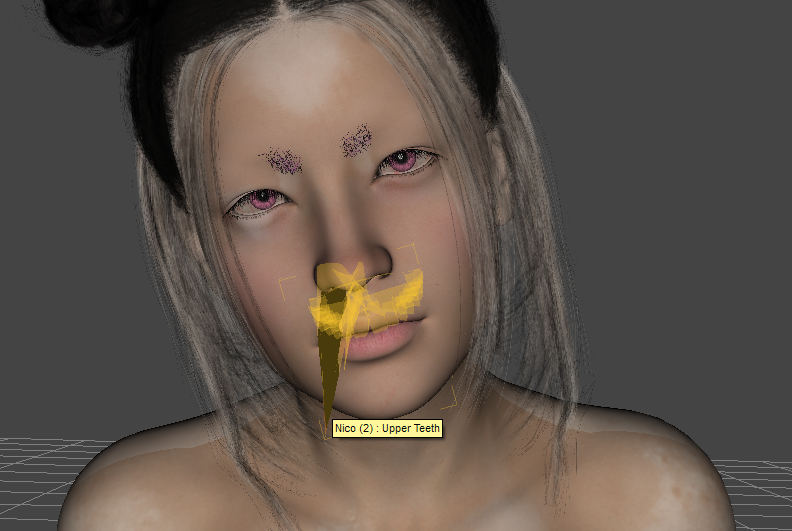 December 31, 2020 at 3:26 AM #1654318
Try setting each slider individually to 0 and undo if nothing changes and repeat until you find the problem. Could possibly be more than one slider but not knowing which ones you're using I can't suggest which to try.
December 31, 2020 at 3:26 AM #1654319try turning off the smooth modifier, seem like the teeth collided with your character lip?
btw what eyebrow is that may I ask?December 31, 2020 at 4:21 AM #1654331I wonder if there's like a way to "export" the list of sliders i'm using for her? But anyway, I shall do that. Thank you 🙂
December 31, 2020 at 4:25 AM #1654334@conkec1993 It's the Super Natural Brows set, I used the Geometry Editor + Mesh Grabber to edit it until it ended up looking like this
December 31, 2020 at 6:35 AM #1654347Thanks for the answer bro.
Anyway, does the fix work?January 1, 2021 at 12:11 AM #1654603I think if you use this method for the mouth part your problem will be solved.
http://www.digi-dotz.com/index.php/tutorials/daz-studio-tutorials/183-clear-teeth-mouth-hd-morphs-daz-studioJanuary 1, 2021 at 11:45 PM #1654918Still need to test the fixes, been busy lately. Thank you though!
January 11, 2021 at 8:49 PM #1657559@ehrez tried your fix and for some reason i only made it worse...
and @conkec1993 , smoothing modifier doesn't fix it :/January 11, 2021 at 9:38 PM #1657567@katdume if you post your character's duf people might be able to help you further. It's hard to know what exactly is wrong just from looking at the picture.
January 12, 2021 at 3:21 AM #1657625@ace94 the issue with posting the duf is the amount of textures and stuff that i'd have to post too :/
January 12, 2021 at 3:30 AM #1657626I think it shows what is missing and people can just download it themselves. Just the duf should be enough.
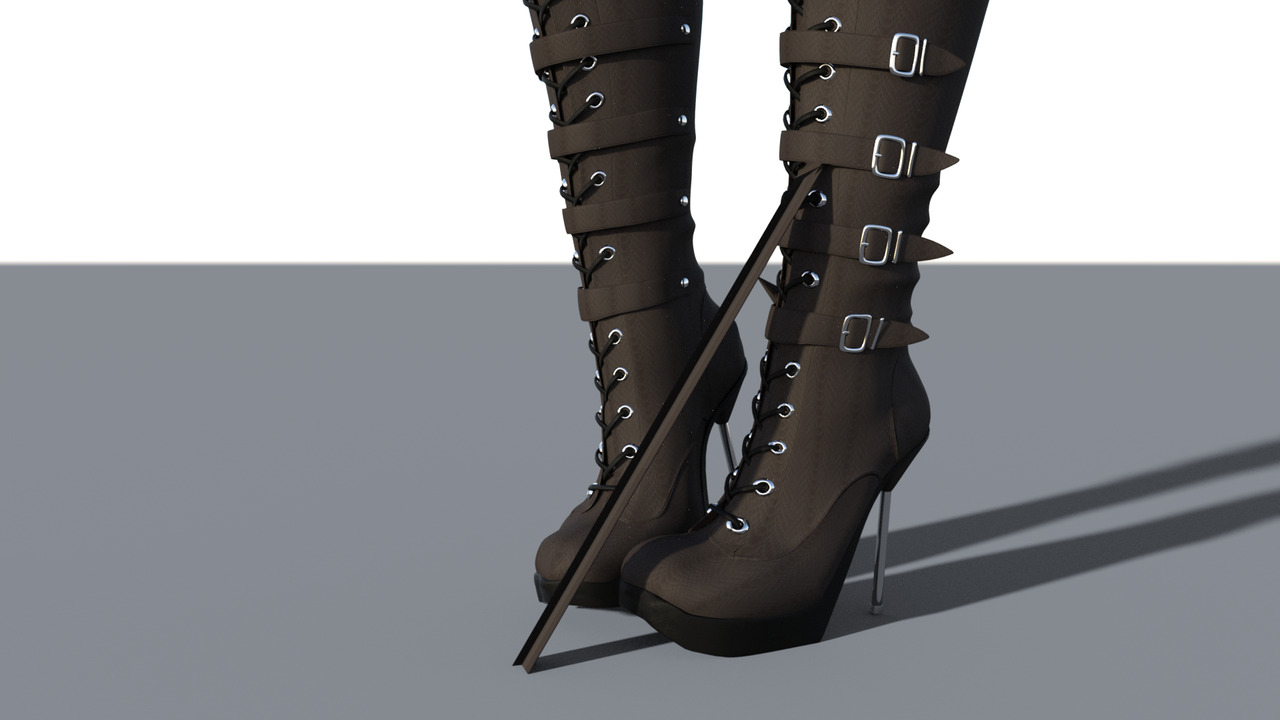
January 12, 2021 at 1:41 PM #1657700I've had the same looking problem on boots. It was from a smoothing modifier that I added.
-
AuthorPosts








- You must be logged in to reply to this topic.
