Library Organizer for DAZ Studio
After years of struggling to tame an unruly DAZ Studio library that kept growing out of proportion and never felt quite as organized as we wanted, we created Library Organizer.
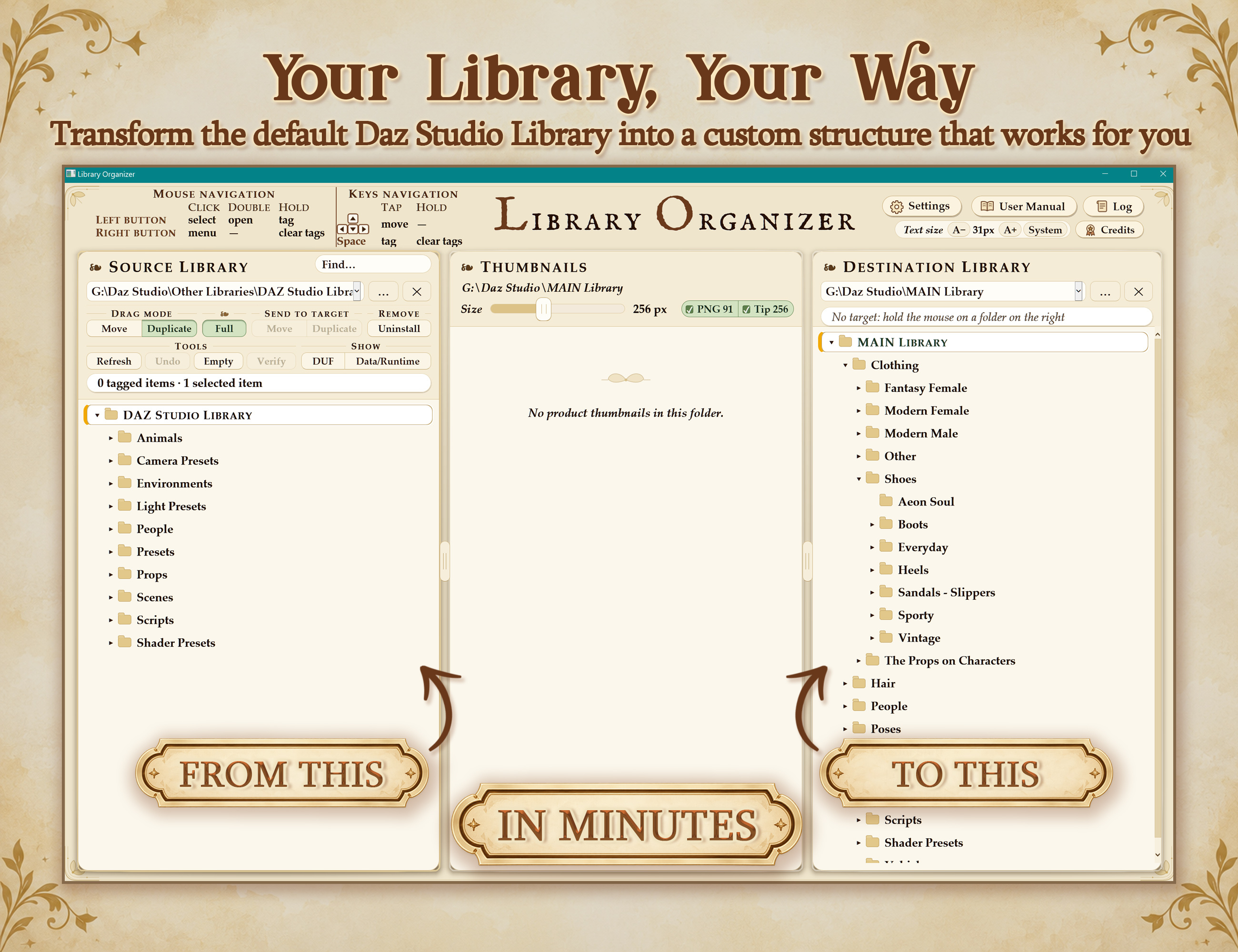
An intuitive and efficient tool designed to help you reorganize your content in minutes.
Library Organizer is made for artists who see their content library as a creative toolkit, something that should adapt to the way they think, create, and work, rather than the other way around.
Library Organizer works directly with your installed content, without relying on DAZ Studio's database or product metadata. This includes manually installed and third-party products.
Just unzip and start using it!
LIBRARY ORGANIZER TUTORIALS: Please, check our official YouTube channel for more tutorials and walk-throughs.
ORGANIZE AND TRANSFER
- Visual reorganization: move or duplicate folders and individual products using thumbnails, drag and drop, or Send to Target.
- Full transfers between libraries: include associated Data, Texture and installation-record files, preserving shared dependencies in the original library.
- Transfers across drives and network shares: organize content across different storage locations.
- Batch operations: tag multiple folders or products across locations and process them together.
- Keep thumbnails attached: associated preview images follow product files when moved, copied, renamed or deleted.
- Product renaming: rename product files and their thumbnails together.
- Folder management: create and rename folders directly.
- Retain tags after duplication: optionally keep products tagged for further operations.
DAZ SMART CONTENT SUPPORT
- Optional product-record updates: update recorded file paths after moves and renames. Re-import metadata in DAZ Studio afterward to refresh Smart Content.
- Automatic record backups: back up each product record before changing it.
- Record restoration: restore individual record changes or all original records.
- Undo integration: undoing a move also updates the affected record paths when record updating is enabled.
COMPATIBILITY AND SETUP
- Manually installed and third-party content: core operations read product files directly without requiring DAZ’s database.
- Portable application: unzip and launch without installation.
- Portable settings and logs: keep settings, tags, backups and activity logs alongside the application.
- Windows support: runs on 64-bit Windows 10 and 11 using Microsoft Edge WebView2.
UNINSTALL AND CLEAN UP
- Smart uninstall: identify associated product files, Data, Textures and metadata for removal.
- Detailed removal review: see file counts and sizes, and choose what to remove or keep.
- Shared-file protection: protect detected dependencies used by other figure versions, with an optional whole-library check for dependencies used by other products.
- Uninstall related figure versions together: include other detected versions of the same product directly from the review window.
- Automatic cleanup afterward: remove parent folders left empty by the uninstall.
- Empty-folder cleanup: find and remove empty folders while protecting essential library structure.
- Standard deletion: remove selected library folders or product files and their thumbnails, leaving associated Data and Texture files untouched.
FIND AND INSPECT
- File verification: detect missing dependencies and identify files located in another library.
- Copy verification reports: copy the results to the clipboard.
- Library search: find folders and DUF files by name and jump directly to them.
- Identify Figure: identify which figure selected content was made for and inspect the evidence behind the result.
- Figure lookup fallback: optionally open a web search when the selected files provide no figure information.
- Find Online: prepare a web search using installation information or folder names, with creator information when available.
- Choice of search engine: use Google, DuckDuckGo, Bing, Brave Search, Startpage, Ecosia or Yahoo in your default browser.
BROWSE AND NAVIGATE
- Thumbnail browsing: adjustable previews alongside source and destination folder trees.
- Multiple-library access: switch between remembered libraries.
- External access: reveal files in Explorer or open them in their associated application.
- Keyboard and mouse navigation: navigate folders and thumbnails, select ranges, use box selection and tag multiple items.
- Flexible drop destinations: drop items into either folder tree or the folder displayed in the thumbnail pane.
RECOVERY AND TRACKING
- Undo moves and duplications: reverse the last operation, including after reopening the tool. Merged folders cannot be undone automatically.
- Undo tagging: reverse tag, untag and clear-tag actions individually, up to 100 steps.
- Recycle Bin recovery: deleted and uninstalled content goes to the Recycle Bin, subject to Windows’ size limits.
- Activity log: review operations, product-record updates, file paths and errors, and open the log in Notepad.
- Live updates: automatically reflect changes made in Explorer, DAZ Studio or an installer.
- Manual refresh: reread folders and thumbnails on demand.
- Scan progress and cancellation: monitor scans and stop them when needed.
- Error details: copy diagnostic information for troubleshooting.
CUSTOMIZATION AND ACCESSIBILITY
- Customizable keybindings: assign, change or remove shortcuts for tool actions.
- Direct shortcut assignment: configure a shortcut directly from a button or menu item using the shortcut-assignment modifier.
- Customizable mouse controls: adjust hold timings, assign a right-double-click action and choose thumbnail double-click behaviour.
- Confirmation settings: configure prompts for moving, duplicating, deleting and clearing tags.
- Workspace memory: retain folder locations, target, pane widths and optional tags.
- Interface scaling: adjust text size and resize panes.
- Thumbnail display options: adjust preview size, show small thumbnails, tip images or both, toggle product names, use names only and display every PNG.
- Thumbnail sorting: switch between ascending and descending alphabetical order.
- File visibility: show or hide DUF files and the Data/Runtime folders.
- Four themes: Victorian Elegance, Light, Dark and Windows.
- Windows appearance integration: the Windows theme follows your system accent colour and light/dark mode.
- Accessible tag indicators: checkmarks identify tagged items alongside colour.
- Contrast and animation support: respect Windows contrast themes and reduced-animation settings.
- Reset options: restore default settings, reset pane widths and restore default keybindings.
Aeon Soul
https://www.renderhub.com/aeon-soul/library-organizer-for-daz-studio

