Face Expression Studio
Face Expression Studio
444 face expressions for Genesis 8 and 8.1, right inside DAZ Studio
Finding the right expression usually takes longer than the render itself. You search the library, load a pose, it’s almost right, and you start again. Or you buy another expression pack that still doesn’t have the face you pictured.
Face Expression Studio puts it all in one panel inside DAZ Studio. Click an expression, or mix several with sliders, until the face looks the way you want. Then save it and use it again whenever you need it. It’s your own face library, built by you.
Two ways to work, always in sync
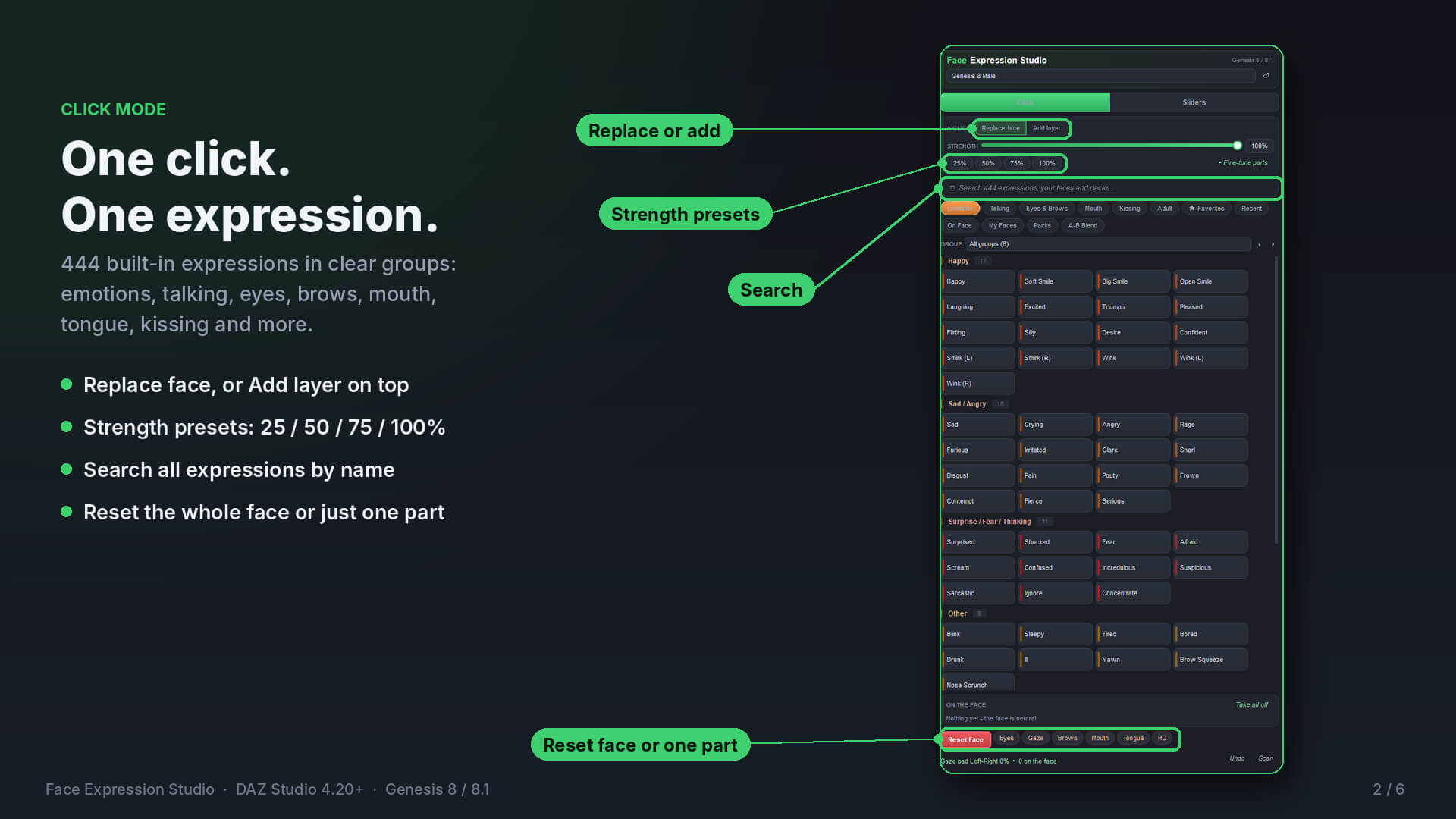
Click mode: one click puts an expression on the face. Choose Replace face or Add layer to stack expressions on top of each other.
Sliders mode: every expression gets its own slider. They add together, so you can build exactly the face you need, for example a bit of Happy, a bit of Surprised and a little Blink.
Make your own expressions
A-B Blend: pick any two expressions and mix them with one slider, from 0 to 100%.
My Faces: save any face you build, rename or update it later, and use it on any figure.
Export and import: back up your faces or move them to another computer.
Strength control: set the overall strength, or fine-tune mouth, eyes, brows and full-face morphs separately.
Protect: lock the eyes, brows or mouth so they stay put while you try other expressions.
Ujjwal308, Daz3d, Genesis 8, Genesis 8.1

