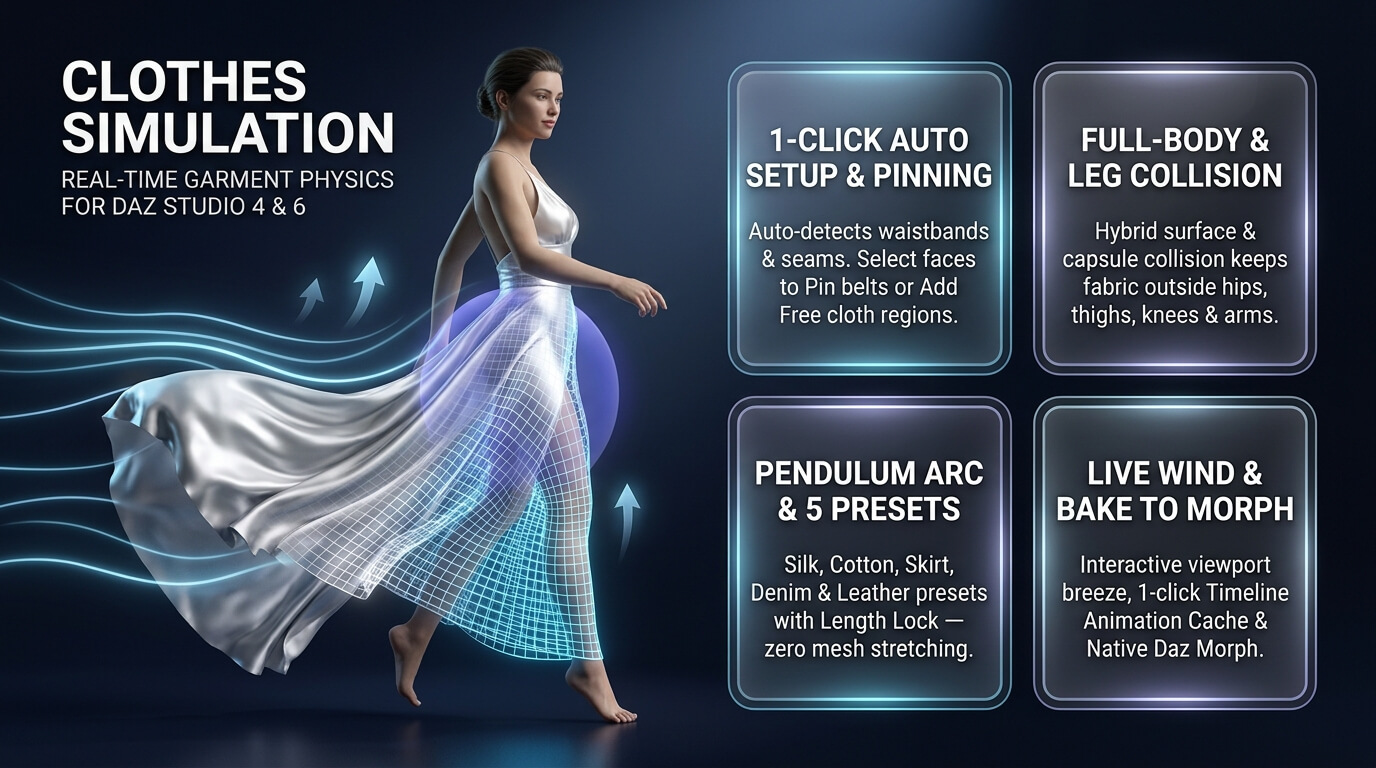
Clothes Simulation Plugin for DAZ
CLOTHES SIMULATION
Real-Time Cloth & Garment Physics Plug-in for Daz Studio 4 & Daz Studio 6
Interactive Viewport Fabric Dynamics, Full-Body Collision, Live Wind & Animation Baking Without dForce
OVERVIEW
Clothes Simulation adds real-time inertial and pendulum clothing and fabric physics directly inside Daz Studio without dForce. While you pose the legs, rotate the hips, move the figure, or play the timeline, waistbands, collars, shoulders, and tight seams stay anchored to the body while skirts, dresses, capes, loose sleeves, and hems lag behind the motion, swing on a length-preserving arc, drape under gravity, slide outside the hips, thighs, knees, shins, torso, and arms, and billow in live wind.
The garment rigging and morphs stay intact. The plug-in moves the clothing geometry on top of your current pose in real time inside the Daz viewport. No long dForce pre-calculation, cloth explosions, or external software is required.
It works out of the box with all rigged and prop clothing across all figure generations (Genesis, Genesis 2, 3, 8, 8.1, 9, and standalone garments, capes, and accessories).
KEY FEATURES
1-Click Auto Setup (Auto Setup Clothes)
Select the garment (or select the character figure wearing the clothes) and click Auto Setup Clothes. The plug-in automatically locates the upper waistband, collar, or shoulder seams, locks the anchor zone in place, and builds a smooth seam-to-hem weight gradient across all fabric panels.
Custom Fabric Regions & Pinning (Select Faces / Add Free Region / Pin Selected)
Want to simulate only a specific cape, skirt layer, ruffle, or sleeve, or lock a belt, buckle, button, or strap in place? Click Select Faces to activate the Geometry Editor in drag-selection mode, drag-select polygons on the garment, and click Add Free Region (with automatic edge feathering) or Pin Selected (with X-axis Mirror Selection support).
Simulation Strength Multiplier (Simulation Strength / Boost)
A dedicated intensity multiplier (0.00 to 4.00, default 1.40) boosts horizontal swing, inertial lag, aerodynamic billow, and wind response with automatic pendulum arc compensation so skirts, dresses, and capes move more dramatically without stretching downward.
Hem-to-Seam Influence Control (Simulated Length: Hem -> Top)
A dedicated slider lets you choose in real time how much of the garment height takes part in the simulation: move only the bottom hem (0.25), the lower skirt (0.50), or the full length from waist/shoulders to hem (0.72-0.95). Seam-to-Hem Smoothness controls how gradually motion builds from the locked seam zone toward the free edge.
Pendulum Fabric Physics with Length Preservation (Length Lock)
Standard rigged skirts and coats stay stiff when legs bend, while simple springs stretch the mesh downward. Length Lock tethers each fabric vertex to a continuous vertical pendulum anchor so clothing swings and drapes along a natural arc without stretching or seam jumps.
Fabric & Fold Cohesion (Fabric Smooth)
Multi-pass displacement smoothing across connected mesh edges keeps fabric panels, pleats, and hems moving together as cohesive cloth during fast turns and walks, while preserving all sculpted folds, seams, and fine details of the original garment.
Full-Surface Character & Leg Collision (Stay Outside: Body, Hips & Legs)
Hybrid full-surface Genesis mesh projection and anatomical capsule collision keeps skirts, dresses, coats, and pants from sinking into the pelvis, hips, glutes, thighs, knees, shins, torso, chest, shoulders, forearms, and hands. Skin Gap sets the clearance distance from the body in centimeters.
Real-Time Wind & Breeze (Wind & Breeze)
Turn on Enable Live Wind to billow and animate dresses, skirts, capes, and shirts with live wind direction, strength, and natural gusting wave turbulence right in the viewport — even on a static pose.
Bake Simulation (Timeline Cache & Morph Export)
The Bake Simulation section provides three production workflow tools:
- Bake Timeline: Steps through the active timeline play range with a progress bar, caches the simulated vertex offsets for every frame, and places keyframes on the Daz Studio Timeline ("Baked Simulation Frame"). Once baked, timeline scrubbing in either direction, viewport playback, and animation rendering play back immediately and deterministically (even when live simulation Enable is turned off).
- Bake Frame to Morph: Converts the current simulated clothing drape into a native Daz Studio morph slider ("Baked Clothes Simulation" under Parameters -> Clothes Simulation) and pauses live physics so you can dial the morph (0‥100%) and save the exact cloth shape directly inside .duf scene files.
- Clear Bake: Clears the baked timeline cache, resets the baked morph slider to 0, and restores live interactive cloth physics.
5 Built-In Fabric Presets
Silk / Light, Cotton / Natural, Skirt / Flowing, Denim / Heavy, and Leather / Stiff configure stiffness, damping, gravity drape, length lock, active length, and fabric smoothing in one click. Every slider can be freely adjusted at any time, including during live timeline playback.
HOW TO USE IT
1. Select the clothing item in the scene (or select the character figure wearing the clothes).
2. Open the Clothes Simulation pane:
- Daz Studio 4: Window > Panes > Clothes Simulation
- Daz Studio 6: Window > Panes (Tabs) > Clothes Simulation
3. Click Auto Setup Clothes (or select polygons with Select Faces and click Add Free Region / Pin Selected).
4. Adjust Simulation Strength (Boost) and Simulated Length (Hem -> Top) if desired, then pose the legs, hips, or torso, move the figure, enable live wind, or play the timeline.
5. Optional — Bake your simulation in the Bake Simulation section:
- Click Bake Timeline to bake and cache the full timeline animation play range.
- Click Bake Frame to Morph to save the current simulated clothing shape as a persistent Daz Studio morph slider.
- Click Clear Bake at any time to remove the bake and resume real-time simulation.
Reset Pose snaps the garment immediately back to the current posed position. Enable turns real-time simulation on and off while keeping the modifier assigned (baked timeline caches continue to play even when Enable is unchecked).
intenzo, Genesis 9 Genesis 8.1 Female Genesis 8 Male Genesis 8 Female
https://www.renderhub.com/intenzo/clothes-simulation-plugin-for-daz

