AIRE Elements - Cars Vol 1 - DAZ Studio
AIRE Elements Cars Vol 1
PLACE THE CAR. FRAME THE SHOT. DIRECT THE RESULT.
A text prompt can generate a car—but it cannot always place that car at the exact angle, scale and position you envisioned.
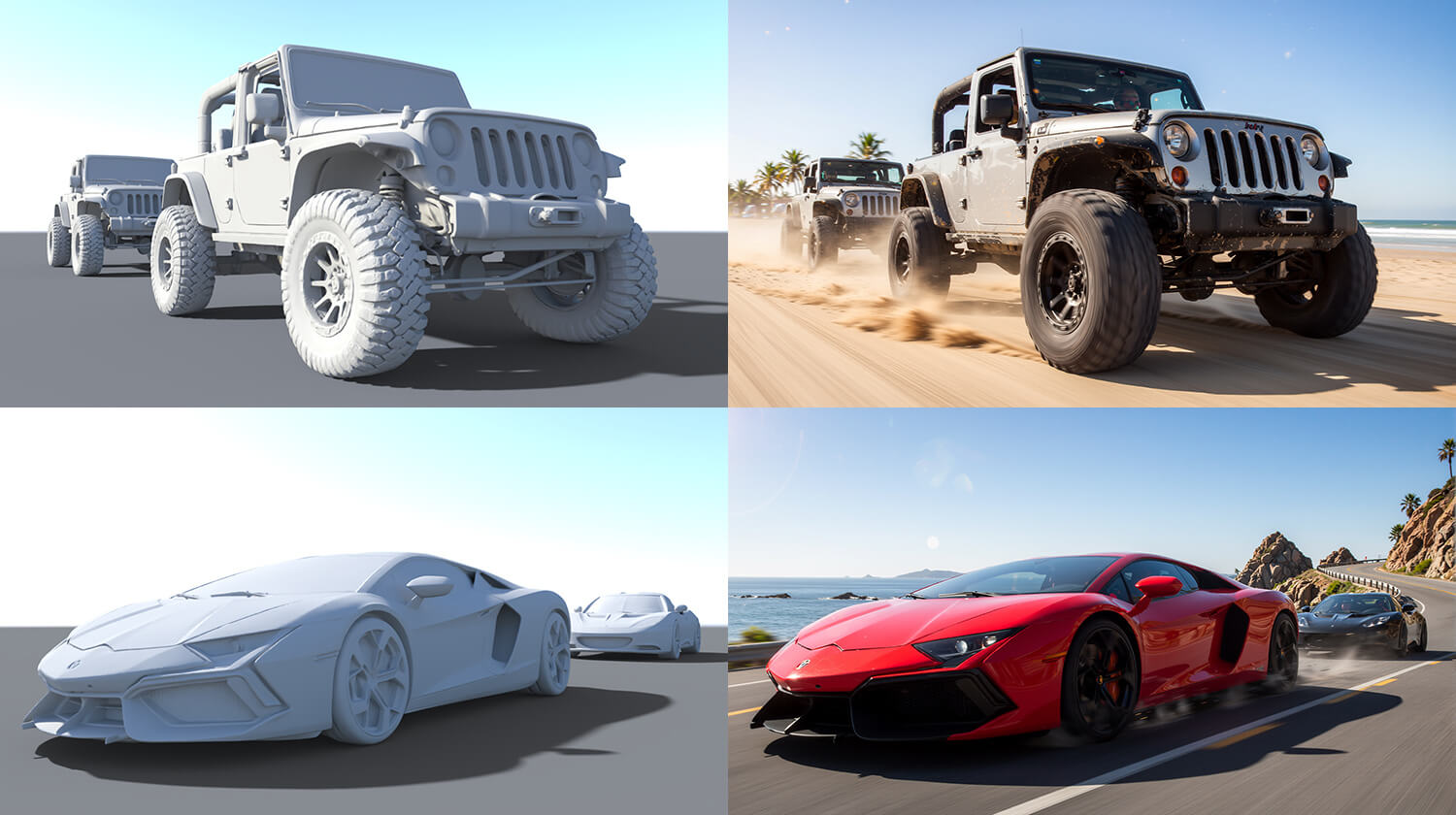
AIRE Elements Cars Vol 1 gives you four ready-to-place gray vehicle proxies created specifically for AIRE, the AI Render Engine for DAZ Studio:
aire-ai-render-engine-daz-studio
Place the vehicle directly inside your DAZ scene, rotate and scale it, compose the camera, and design the lighting and shadows. When rendered through AIRE, the proxy becomes a realistically interpreted vehicle while retaining the visual structure established in DAZ Studio.
Use an AIRE Element by itself and create the surrounding environment through Creative Direction, or combine it with Genesis characters, props and complete DAZ scenes.
Choose the vehicle color, material and surrounding action through text. After rendering, continue developing the image with AIRE Edit—change the paint, appearance or action, adjust details, or replace the vehicle entirely while retaining the established composition.
AIRE Elements give you physical control before rendering and creative freedom afterwards.
Dreamlight
https://www.renderhub.com/dreamlight/aire-elements-cars-vol-1-daz-studio

