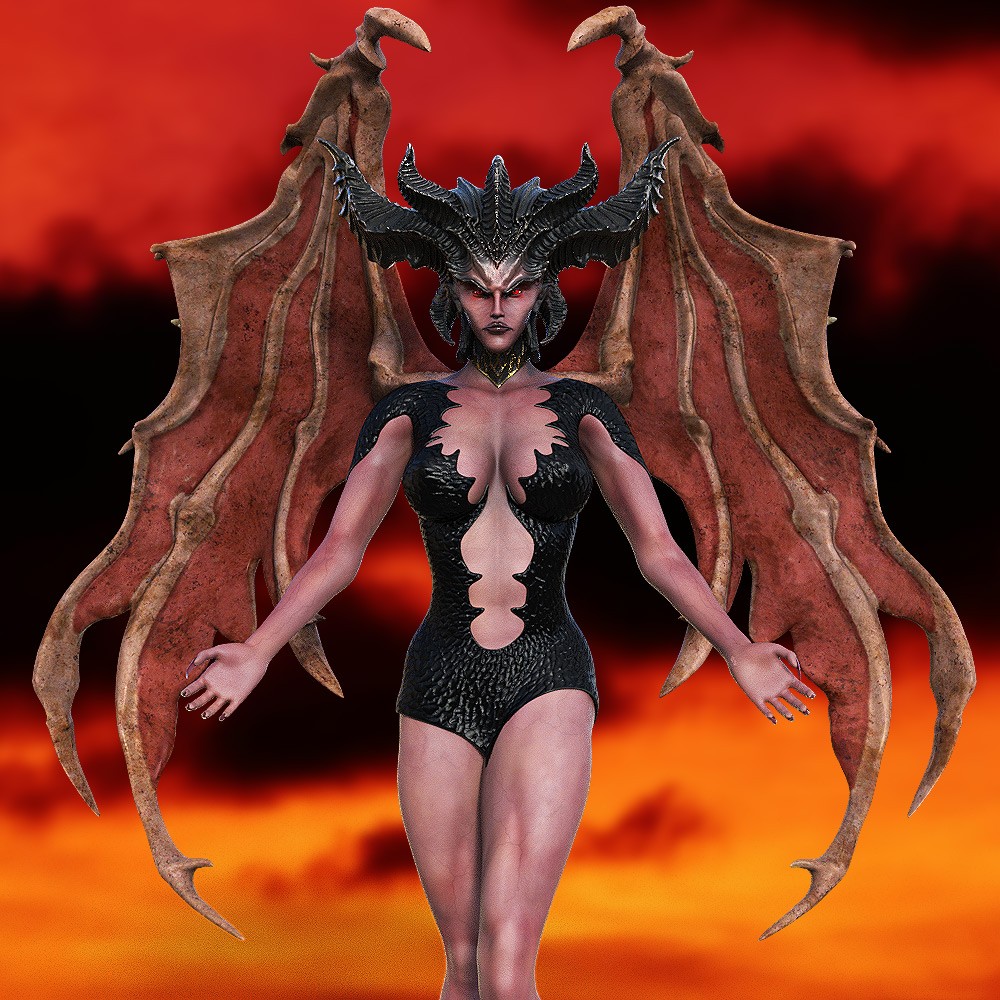
Lilith for Daz Studio
PACKAGE CONTENT
_____________________________________________________
- 1 Lilith original figure with 19 erc's controls
- 1 Wings conforming figure with 3 erc's controls
- 1 Dress conforming figure
- 1 Boots conforming figure
- 5 Poses for Lilith
- 6 Poses for the wings
- 1 Feet pose for Lilith
- 2 Expressions for Lilith
- 2 Breasts styles for Lilith
- Nails style claws ON/OFF
- 22 Texture maps 4096x4096
Product Compatibility Iray engine.
Product located in: Powerage's Bestiary > Lilith
Wings info:
1/ Load Lilith and select her
2/ Load the wings, they will automatically attach to Lilith
3/ In the hierarchy, expand the tree of Lilith's chest where you will find the wings
4/ Select the wings to access the erc's controls options.
To apply the wing poses, you must select them first.
Powerage, Stand-Alone Figure, Lilith, Daz3d
https://www.renderosity.com/marketplace/products/170723/lilith-for-daz-studio

