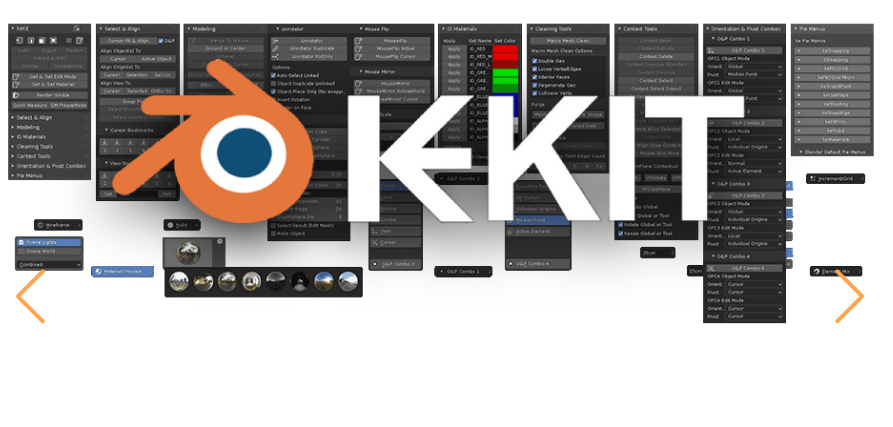
Blender 4.2 keKit Pro v3.28 Pro
keKit is a General Tool-Kit Add-On for Blender
Extensive options for customizing & optimizing workflows.
An all-in-one collection of Scripts, Tools, Macros and Pie-Menus, etc.
Modular – The kit is composed of separate modules that can be enabled or disabled.
At your discretion – No preset shortcuts.
[Render] Unwrap Macro (NEW)
A (relatively) simple macro script to do common (for me) UV-unwrapping tasks – in one click.
Requirements:
TexTools add-on (& ideally some experience using it)
Viewport Context: UV-editor AND 3D View (like the ‘UV Editing’ layout) – run in the 3D View.
Material with a texture. (Set desired texel density in textools!)
Can serve two different goals:
A. Unwrap for reference texture mapping (for block-out models – not for baking)
B. Quick & dirty packing (for baking). Note: If you want 100% optimal UV’s, this may just be ‘a starting point’
Redo Panel options to accomodate these methods/goals:
Auto-Seam: (via Select Sharp Angles). If not, user-assigned seams may be needed
Auto-Pack: Regular UV Pack with margin tweak only. Note: Texel density will be ignored
Canvas Align (Stack): Place each UV island on specified canvas location. Default is 0,0 (bottom left)
Always applied:
keKit: 3.28, Modifier Presets ( & View Bookmarks)
v3.28
[Bookmarks] Modifier Presets (NEW)
Stores the selected Object’s modifiers as a preset
YouTube Video Demo
Stores every single property, almost, including visibility, pinning etc.
Apply the preset to any (compatible) object(s)
Persistant storage – stored in a JSON file (in your CONFIG path)
Unlimited* slots
Also available in a new Modifier Presets Pie menu (actually a context-menu, same category)
Curve Support: Also stores curve settings (bevel and segments etc.) along with any modifiers – entries of curve presets will be marked with a curve icon.
Custom Geo Nodes Support: As long as they are found (directly) in user asset paths, as a library asset setup just like “Smooth by Angle”, it should work™
Limitations:
– Physics modifiers are not handled. Probably best as a separate op; TBD.
– Scene-specific properties, like Objects, are not handled.
– Profiles for regular modifiers will only set presets (& will not work at all for curves)
[Bookmarks] View Bookmarks (NEW/Upd)
Rewritten to now store unlimited* slots, on a per-scene basis (stored in the blend-file)
View & Cursor Bookmarks Pie Menu updated
YouTube Video Demo
[Select] Mouse Select Mirror (NEW)
Like Mouse Side of Active (the position of the mouse relative to selection picks axis) but with Blenders Select Mirror (with the same limitations – your origin placement will be important)
keKit UI updates (upd)
The Bookmarks module panel has now been “modularized” – you can now show/hide all the sub-categories. The panel is now called ‘Bookmarks & Presets’
Tip: Set up all the panels (show or hide) as you prefer and save your startup default file
The Select & Align panel has been reworked to fully display operator names, so they work better with Quick Favorites.
Snap Combos UI toggle: The Snapping Combo buttons can now be found in the n-panel AND the blender snapping menu OR just n-panel (hiding it from the snapping menu if you don’t use snapping combos). Toggle in keKit add-on prefs.
Color/Mono Icon Toggle: Feature has been removed – keKit custom icons are now color icons only. If you really want monochrome; the alternative mono-icon pack is listed in LINKS above. Just overwrite the icon dir (with your preferred icon set) & remember not to overwrite the icon dir when updating later! Note: While no more icons are planned – this pack will not be updated!
[TT] Mouse Axis Move (fix)
Curve Edit-mode Normal Orientation fix: Will now just print “unsupported orientation” in console when that is the case, instead of throwing an error.
https://blendermarket.com/products/kekit?search_id=33831914
File Hosting: Google Drive

