Home Page › Forums › Art Showcase › Help with point light/s
- This topic has 10 replies, 5 voices, and was last updated 3 years, 8 months ago by
 Kefka.
-
AuthorPosts
-
January 2, 2023 at 3:49 AM #1908732
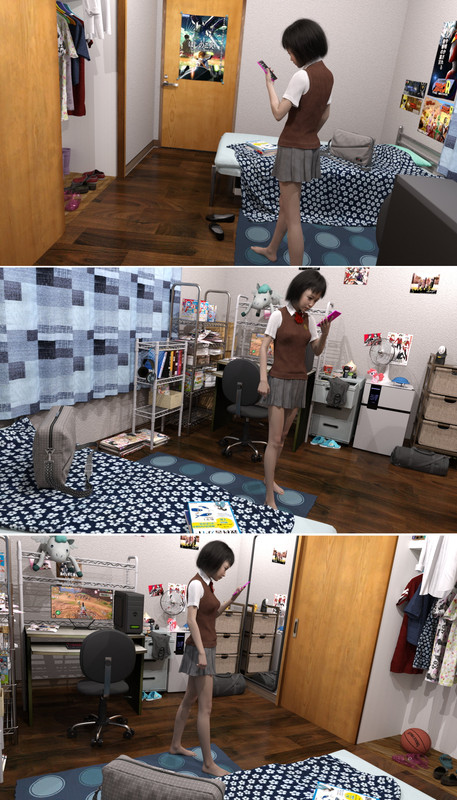
I fear the answer will be no, but has anyone got point light shadows to have a gradual transition and not a harsh line between light and shadow? Is there a parameter setting I could use. I really don't use them because of this but the room came with point lights and I was trying not to replace them. I suppose I'll have to because they look terrible (the shadows).
click image
 January 2, 2023 at 12:54 PM #1908863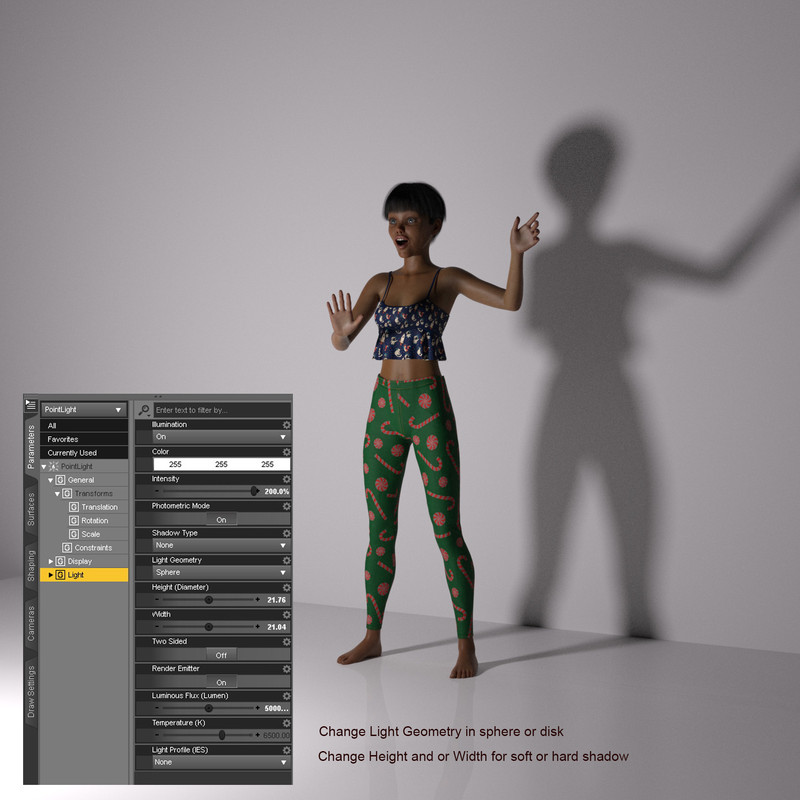
Would be nice @frank22 if you put some points for Wednesday for G8.1F and G9 and DForce Wednesday Party Dress For Genesis 8 Female.
January 2, 2023 at 6:51 PM #1908962Yeh I did try changing the point lights'(4) geometry to spheres but the scene brightness dropped way off, and the shadow edges remained hard. I might have to make the spheres bigger because apparently small lights make hard shadows.
Or.... I could just delete them and put in ghost lights. Thanks for your help @Lucafeelgood.January 2, 2023 at 7:32 PM #1908976Would be nice @frank22 if you put some points for Wednesday for G8.1F and G9 and DForce Wednesday Party Dress For Genesis 8 Female.
January 2, 2023 at 7:35 PM #1908978I don't know what the means @Lucafeelgood.
Do I owe you points?January 2, 2023 at 8:15 PM #1908982January 2, 2023 at 8:24 PM #1908985Done.
January 2, 2023 at 9:44 PM #1909005Like Luca said, I usually change the geometry and size of the lights. But as you noticed, you'll need to increase the lumens to compensate for the reduced brightness.
Another alternative is to add a general light source. A low level HDRI, spherical light, or well-placed fill/ghost light would cast light on those shadows and make them less severe.
Cute dorm room!
January 3, 2023 at 3:39 AM #1909077@frank22 nice and very complex scene, lots going on to capture the spirit of a dorm. Only suggestion I have in addition to what has already been mentioned is that because the windows are covered by the drapes, then you just need hdri with a low ground shadow intensity because indoor room ceiling lights are typically bright enough to fill the room, resulting in relatively soft or diffused shadows.
January 6, 2023 at 7:18 AM #1910344@Makemodus @Lucafeelgood @Kefka @Gaver
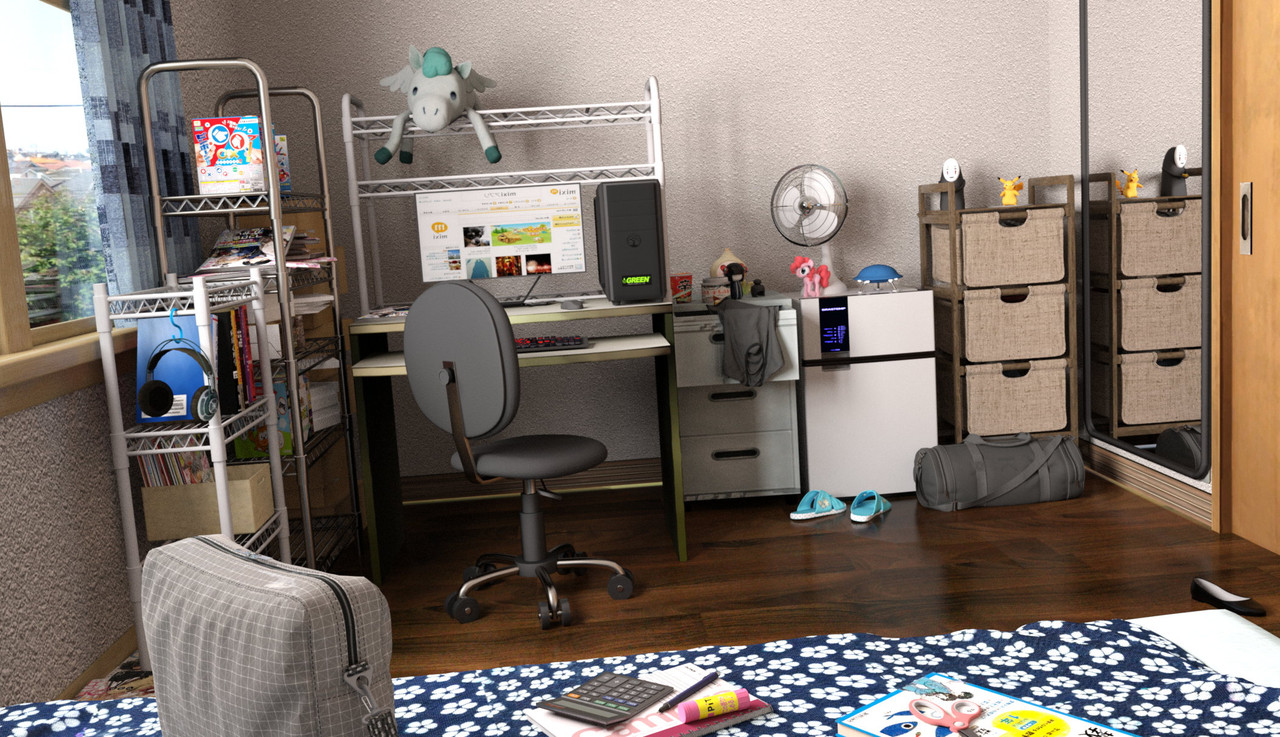
Well I've given up on the idea of multiple point lights and gone back to how I usually light an indoor scene, ie. an HDRI and a ghost light at the window. As I see it, the point lights cast hard shadows that I can't really fix and give multiple shadows that looks unnatural.
The wall behind the curtains had no window so I had to jerry-rig one from somewhere else.[click-it]
 January 6, 2023 at 2:31 PM #1910523
Someone went overboard on that stucco on the window side wall 😛 . The only real complaint I have is the weird lighting effect on the floor around and under those sandles. Did you place a ghostlight there? I haven't ever used a ghostlights so I don't know how they work exactly. Or is that the light coming from the window. It just seems extremely harsh in an otherwise evenly lit scene.
I wouldn't say the scene appears extremely realistic looking, or if that was even what you were going for, but it does all appear to have a very well made and even looking color palette. I feel that is what is most important.
Nice render.
I, AGAIN (I KNOW I'M PROMOTING THE HELL OUT OF THIS), feel that using SSS (with the technique I provided in general chat) will help alleviate a lot of those sharp dark edges. It's still a work in progress and there is a lot of manual work involved. Once I figure out a general sweet spot, though, a simple script could convert most non-character models to enable SSS the way it was supposed to be used.
Also, people have told me using SSS increases render times but I've tried entire scenes with and without (2nd render to get proper render times for both) SSS. On every occasion, the SSS enabled render is slightly faster or just as fast as non-SSS renders. SO.. as far as I can tell these rumors are unfounded.
-
AuthorPosts






- You must be logged in to reply to this topic.
