Kitbash models

Home Page Forums General Chat Kitbash models

Viewing 5 posts - 1 through 5 (of 5 total)
  • Author
    Posts
  • #1783929
    ColdBeer31
    Participant
    Rank: Rank 5

    Is there a way to use them directly in DAZ? I saw that there is an *.obj file included which afaik DAZ should be able to handle. But actually I don't have any clue how. So any advice would be great. Thanks!

    #1783938
    Eve Adams
    Participant
    Rank: Rank 6

    Normally you'd just import the obj and you'd be up and running, the problem with kitbash assets is that everything is lumped together into a single obj, so you really need to take it into Blender or whatever other package is your weapon of choice and separate them individually. For me, since I'm not particularly skilled in the Blender department, it's just too much effort for too little reward.

    #1784132
    ulysses
    Participant
    Rank: Rank 3

    This question comes up from time to time here. This is one thread I remember. Bottom line seems to be to learn some basic blender

    Kitbash3d question

    You also might want to try https://anyconv.com/file-formats/

    And DS will import fbx. Well, at least they have an import fbx selection in the import drop down.

    don't know if anyconv will work with files the size of kb3d tho. I use the blender method, so haven't tried anyconv or fbx import DS capability.

    #1784282
    Abad
    Participant
    Rank: Rank 5

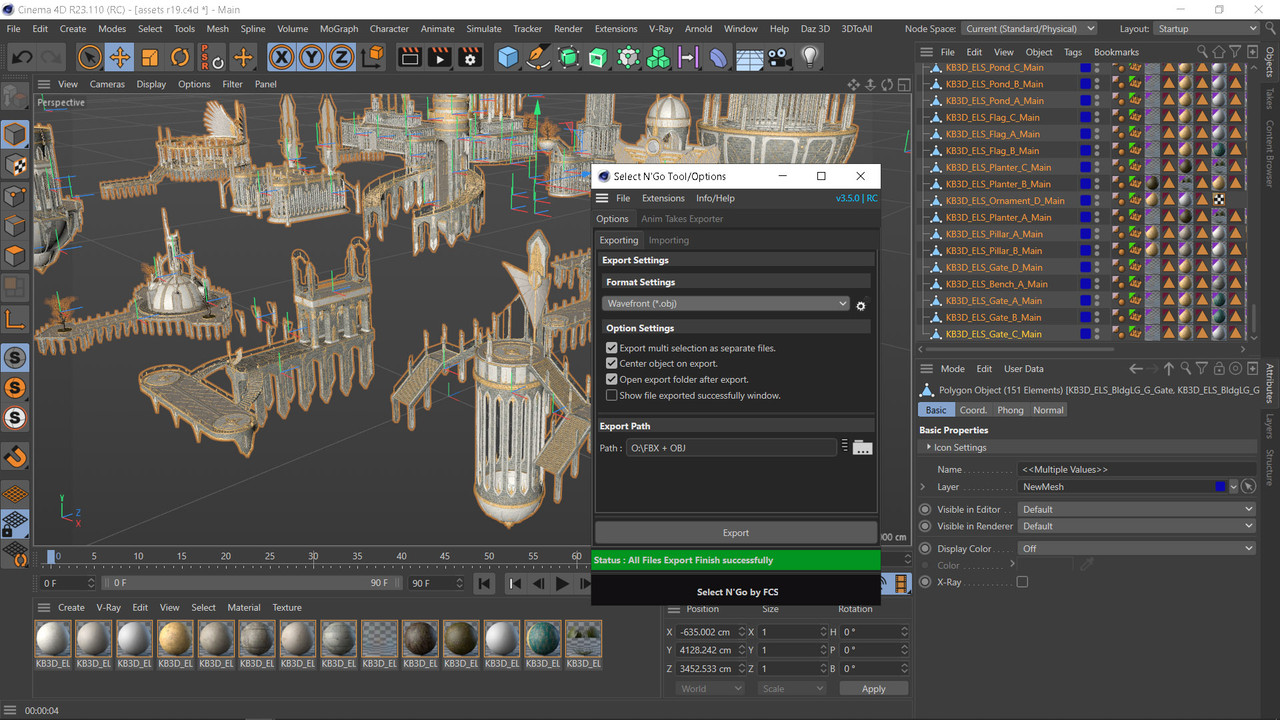
    There is a free plugin for Cinema 4D r16/r23 that separates all the elements in the most common formats, without any problem in Daz Studio.

    https://fcstudios.gumroad.com/l/SelectNGo

    #1784344
    queensknight
    Participant
    Rank: Rank 7

    Exporting a single object from a big OBJ file has always been pretty straightforward in Blender--open the OBJ file, select the object, and export it.

    Where it gets tricky is when you want to export dozens (or hundreds) of objects--or maybe every object in the OBJ file--without having to select and export each one individually. That's where add-ons and scripting come in. Check out the solutions in this StackExchange thread:

    https://blender.stackexchange.com/questions/5382/export-multiple-objects-to-obj

Viewing 5 posts - 1 through 5 (of 5 total)
  • You must be logged in to reply to this topic.


Post You Might Like